hi there and welcome to luke's master-site for wii hacking! this is a hub for all the info you need to know about modding your nintendo wii, and then some! you can consider this a guide of sorts. i worked really hard on this, hope you enjoy :-D
table of contents:
- section 1: pre(r)amble
- section 2: getting started
- section 3: bootmii and the homebrew channel
- section 4: other things you should do
-
section 5: bricks, errors and the like
- i opened the wii settings menu and an opera browser error occured.
- i get an opera error or a white screen with 3 black dots on boot instead of the health & safety screen.
- i installed a theme, and now my wii's screen is completely black.
- i installed a wad file, but when turn my wii on, it freezes or displays "the system files are corrupted."
- i just have a black screen. i don't think i did anything wrong.
- error 001: unauthorized device has been detected
- error 002: an error has occurred (blue screen of death)
- error 003: unauthorized device has been detected
- error 004: system files are corrupted
- i tried to downgrade my wii system menu and now the console isn't responding.
- my wii is responsive to wii remote input, but there's no visuals.
- my wii isn't responsive to any input at all. i can't boot into recovery mode either.
- section 6: recovery and upgrades
section 1: pre(r)amble
okay let me get one thing straight, this guide is for the original wii only. no wii u (vWii) or wii mini information will be provided. why? i don't own either of those consoles, and i don't trust myself to learn without a physical console to tinker with. my expertise lies with the original wii only. if you're here for the vWii or wii mini, i urge you to check out https://wii.hacks.guide/ instead for tutorials, and https://gbatemp.net/ for troubleshooting. sorry about that!
also worth noting, almost no exploit shown here works on dolphin, or any other emulator. the creators don't bother emulating every little vulnerability and i don't blame them, lol. there's a section on https://wii.hacks.guide/ for putting homebrew on dolphin. i use dolphin for most guide screenshots, but i use other sources for ones that contain actual visuals for the hack.
i'm a human, and humans make mistakes. if you spot a piece of information that's wrong, outdated, or missing, and you want me to update this site, you can email me at [email protected] or dm me on discord @sulphuriccc. i can also provide limited tech support. i'm a busy student, but i'll get back to you as soon as i can! :-)
section 2: getting started
here's what you'll need to hack your wii:
- a computer
- some software specifically needs linux to load. in that case, try dual-booting or borrowing someone else's computer
- a usb drive, formatted to FAT32
- a wii
- some level of common sense
first, you need to choose an exploit. here are a couple options:
| Exploit | Requirements | System Menu Version |
|---|---|---|
| str2hax | Internet connection | Any (afaik) |
| Wilbrand | SD card of any size | 3.0 - 4.3 |
| Bluebomb | Linux, a Bluetooth adapter, a USB flash drive, the Hackmii installer | Any (afaik) |
| Any fail0verflow game exploit | SD card <2GB, disc copy of whatever game you're using, the Hackmii installer | Depends on what game you're using |
of course, this isn't every exploit available for the wii, but these are the only ones i think are worth mentioning...
str2hax tutorial
this is an exploit that uses a vulnerability in the wii's internet connection eula. you need to change your dns settings to use this method; check your isp (internet service provider)'s terms of service, if they don't allow custom dns settings then you CANNOT use this exploit! comcast, xfinity, at&t, and various german/turkish isps are notable for doing this.
- power on your wii and go to
wii settings.
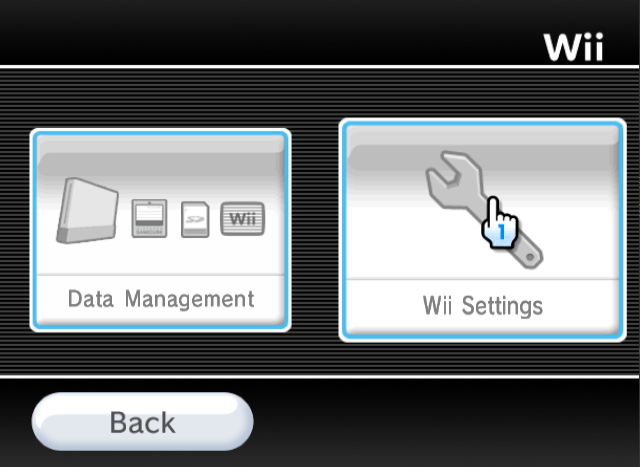
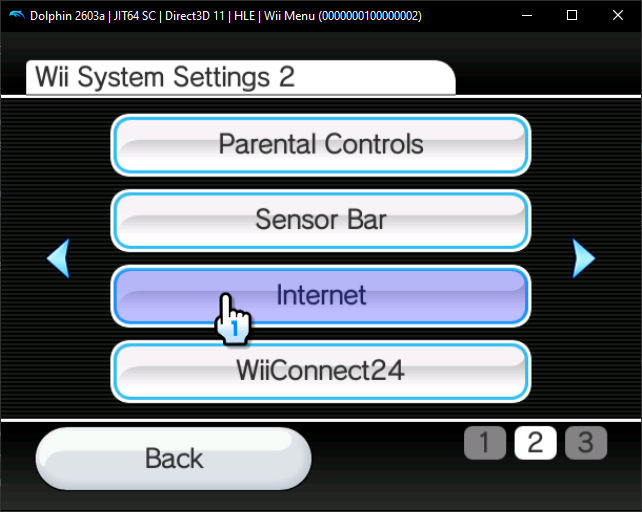
- go to the second page and click
internet. then clickconnection settings.
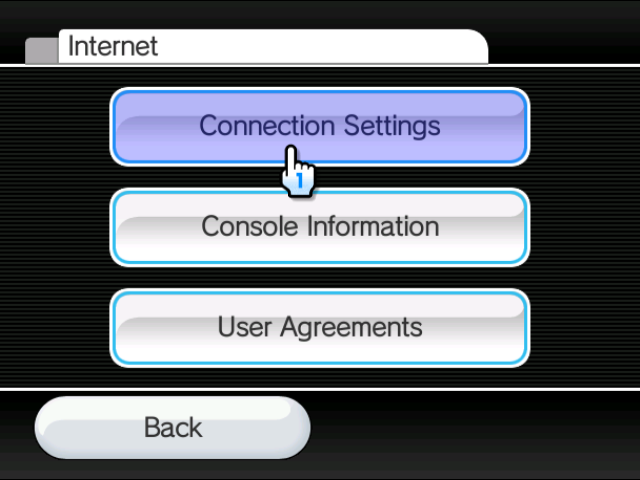
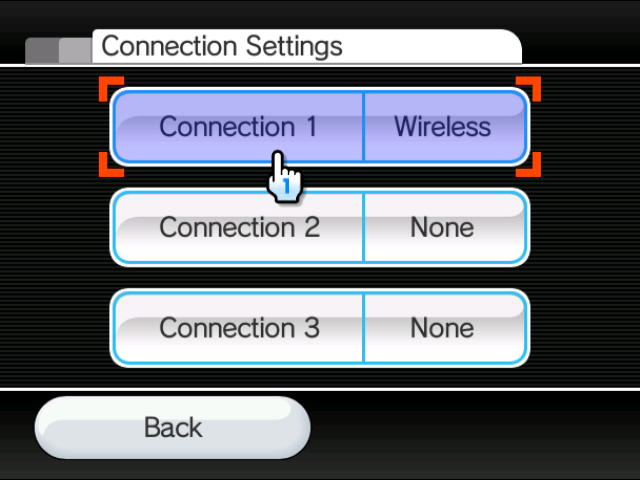
- click on whatever connection you'd like to use. then click
change settings.
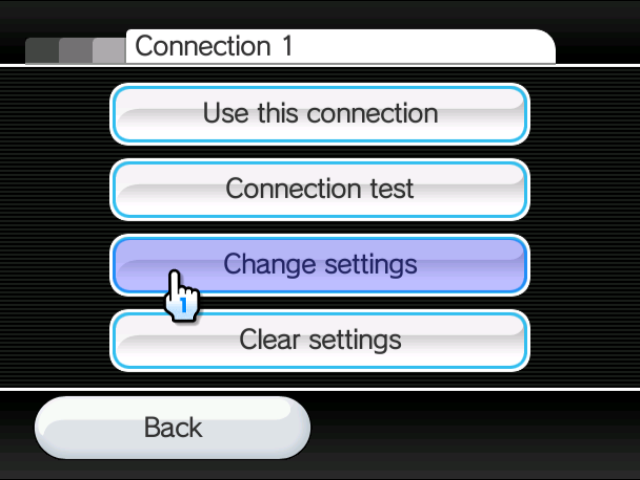
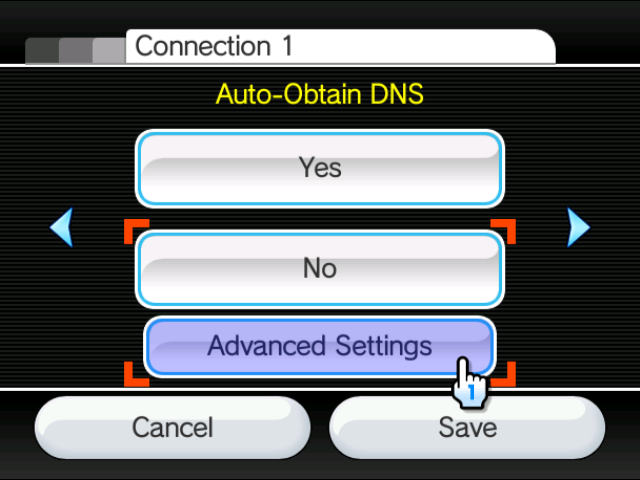
- navigate to the dns page. click
no -> advanced settings.
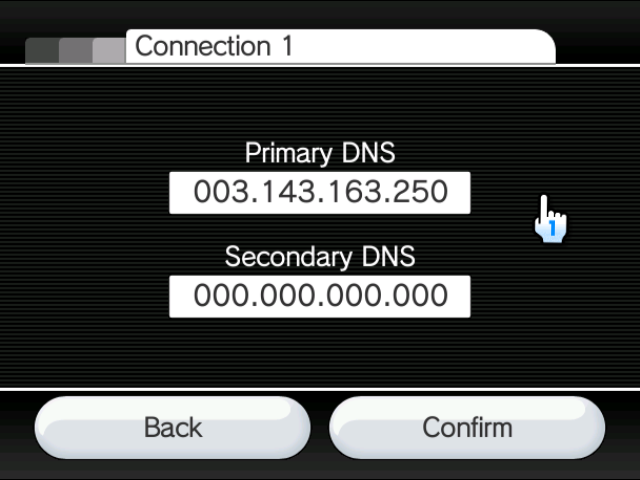
- set your primary (and secondary - optional) dns to
3.143.163.250. clickconfirm.
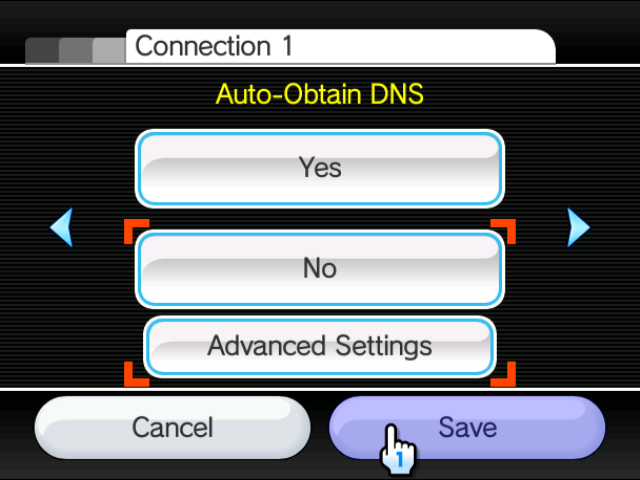
- click
savewhen back on the dns settings page. allow the wii to perform a connection test.
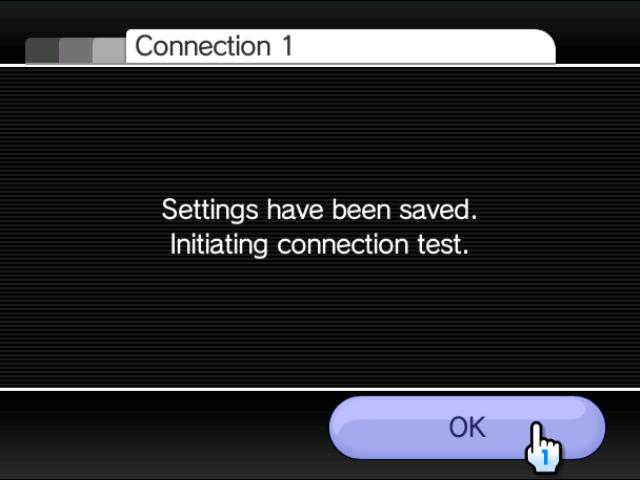
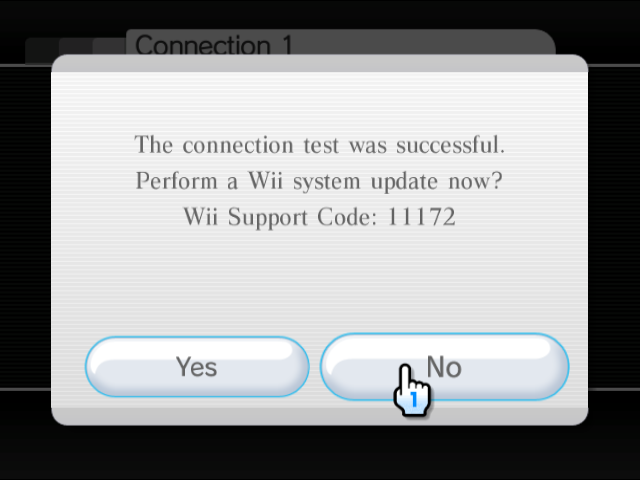
- if the connection test is successful, click
nowhen asked to perform a system update. if the connection test is unsuccessful, try again with a different internet connection.
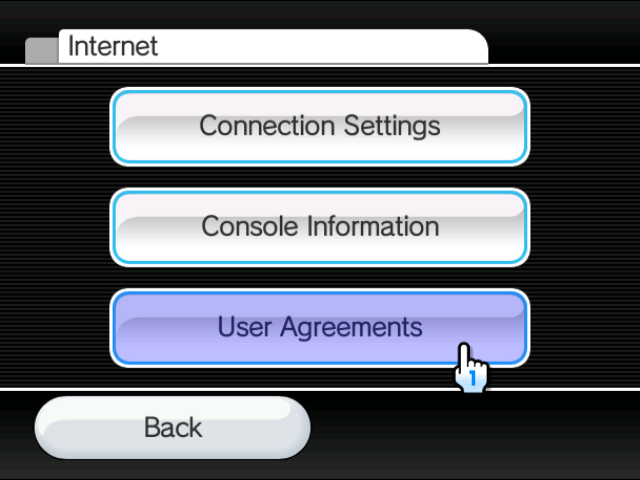
- navigate back to the main internet settings page. then click
user agreementsor the equivalent on your menu.
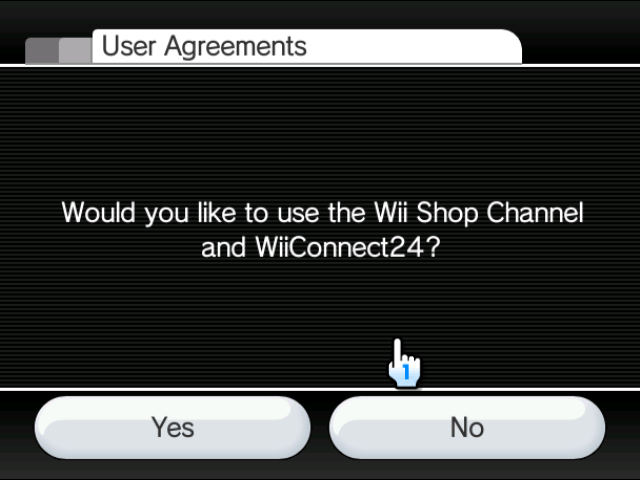
- click
yeswhen asked to use wc24.
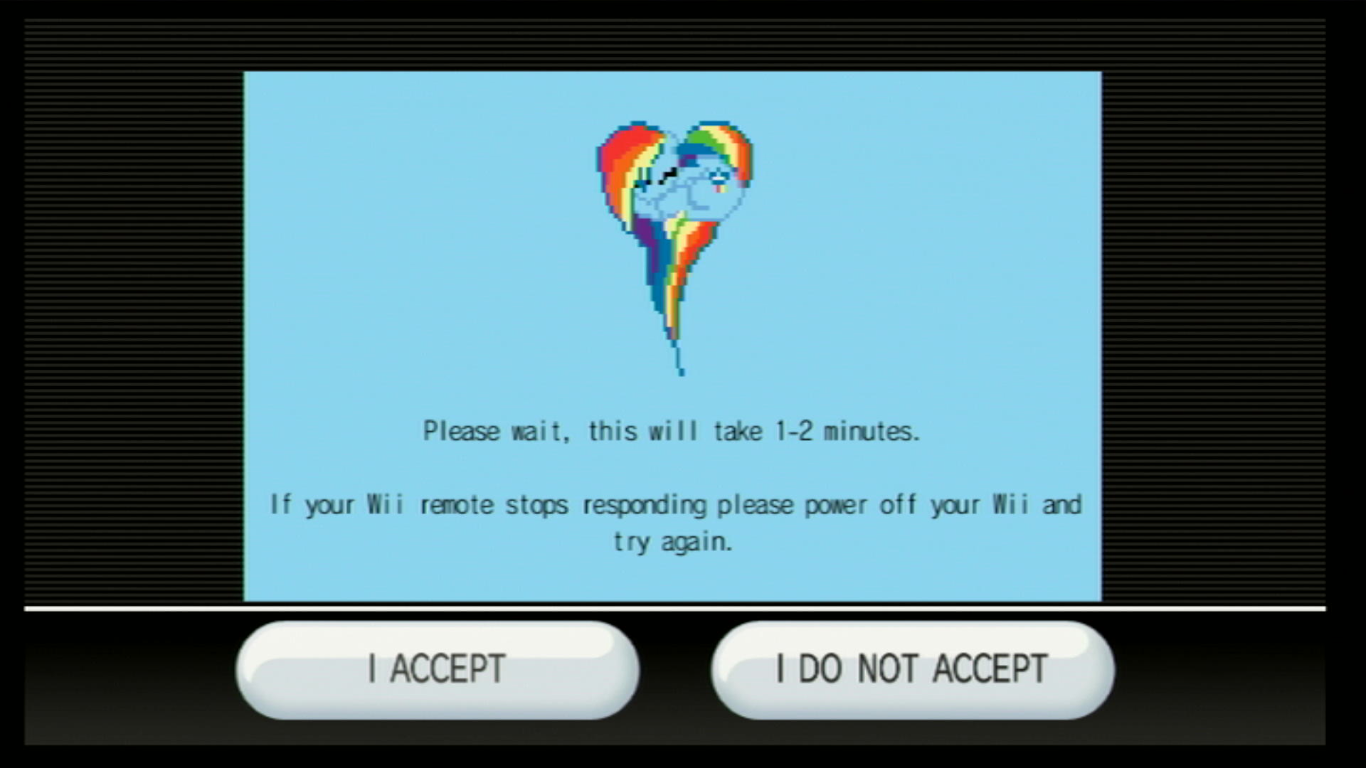
if, when you load the eula page, you see a picture of rainbow dash, you've done it successfully! just wait a couple minutes and you should be in the hackmii installer. if you see the regular eula, your isp blocks the use of custom dns and you have to use a different method.
wilbrand tutorial
this is an exploit that uses a vulnerability in the wii's message board function. if you're on wii menu version 4.0 - 4.3, you can use an sd card of any size, but if you're on any menu version before that, you NEED an sd card under 2gb in size.
- power on your wii and go to
wii settings.
- go to the second page and click
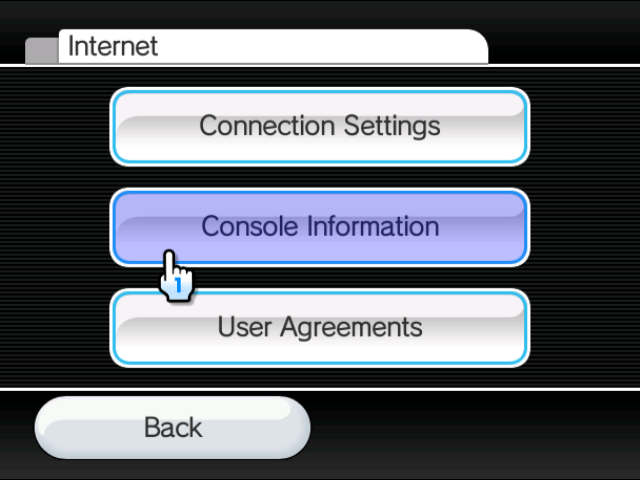
internet. then clickconsole information.
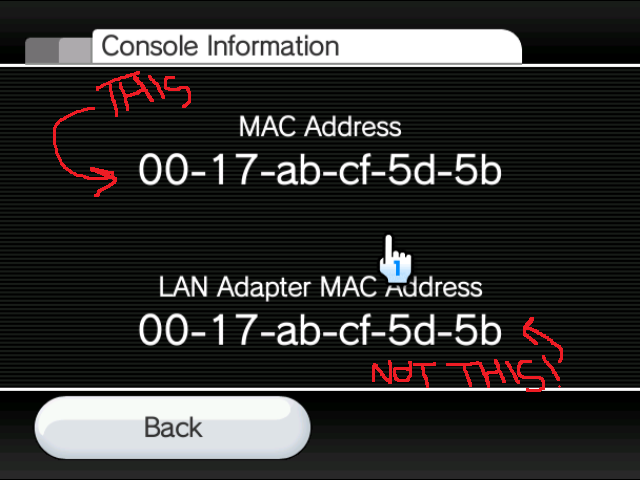
- note down your
mac address. please don't use the one in the picture. my wii is not yours ;-)
- turn off your wii and go to https://wilbrand.donut.eu.org/. you'll be greeted with this screen.
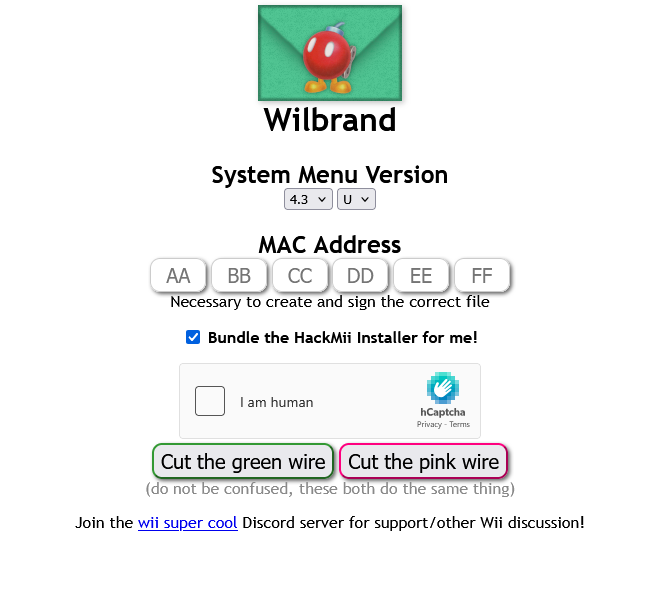
- choose your system menu version in the drop-down menus. the version can be found in the top-right corner of the wii settings menu.
- input your mac address where it tells you to. don't worry, this is perfectly safe!
- make sure
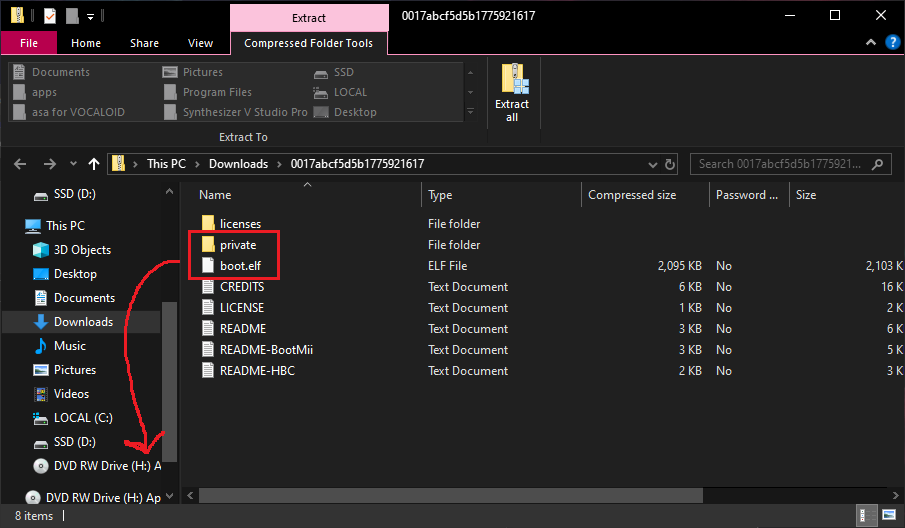
bundle the hackmii installer for meis checked. complete the captcha and cut either wire. - you should now have a zip file with your mac address as the title downloaded. in the zip, move the
privatefolder andboot.elfto the root of your sd card.
- put the sd card in the wii and open up the wii message board.
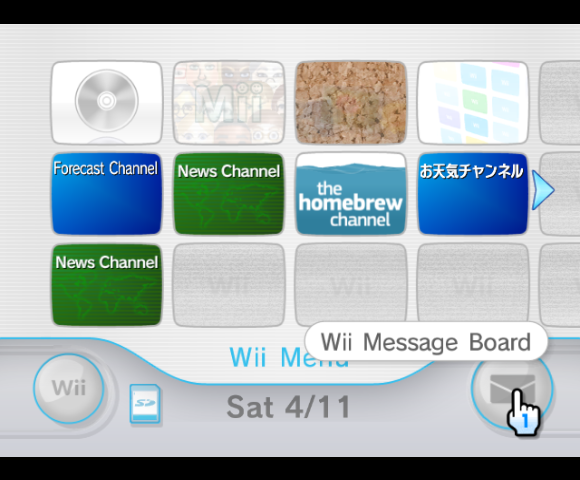
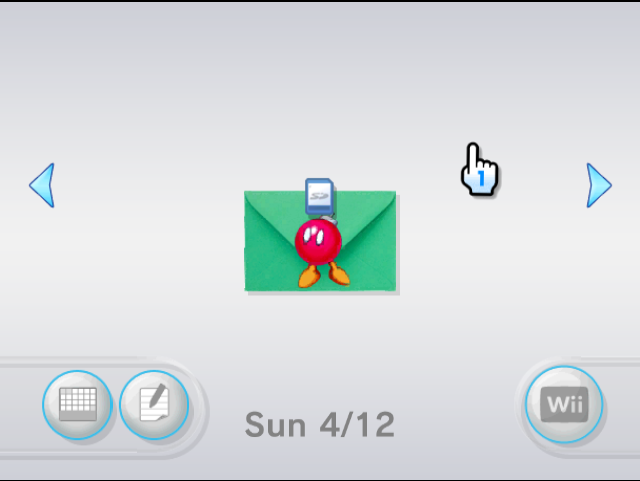
if you wait a couple seconds you should see a green letter with a red bomb in yesterday, today, or tomorrow. click on it and it should bring you to the hackmii installer! if the letter doesn't appear, reconfigure the time & date and try again. there may also be an issue with your sd card or the sd card slot on your wii.
bluebomb tutorial
this is an exploit that uses a vulnerability in the wii's bluetooth feature. this exploit is the only one that works on the wii mini. make sure the bluetooth on your computer works!
- download the hackmii installer and move
boot.elfto the root of your usb drive. - put the usb drive in the wii.
- open a terminal session and type the following 3 commands:
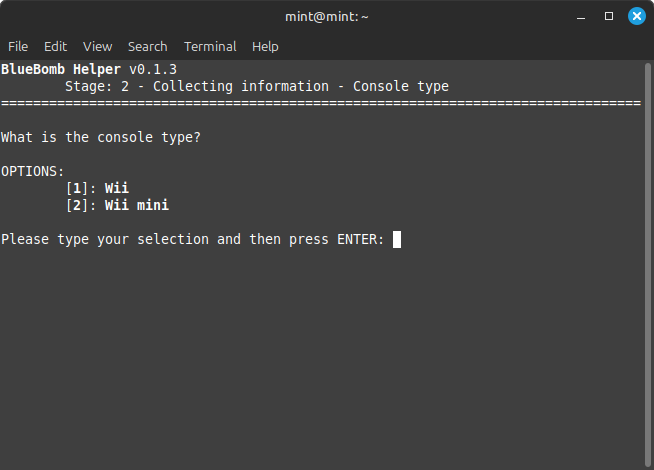
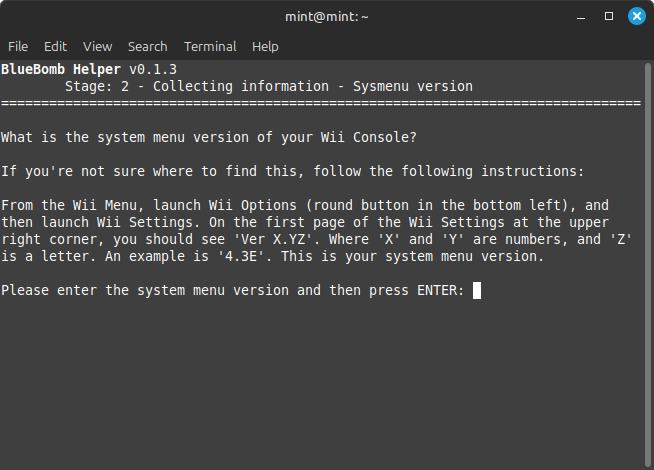
- once the program is downloaded and ran, you'll be greeted with the following screen. type
1for the regular wii and2for the wii mini.
- enter your system menu version. the version can be found in the top right corner of the wii settings menu.
- turn on your wii, but do not connect any controllers yet!
- type
yesin the terminal.waiting to acceptshould display afterwards. - open up the sd card slot on your wii. there should be a red button inside. press that button repeatedly until
got connection handle [number]displays in the terminal.
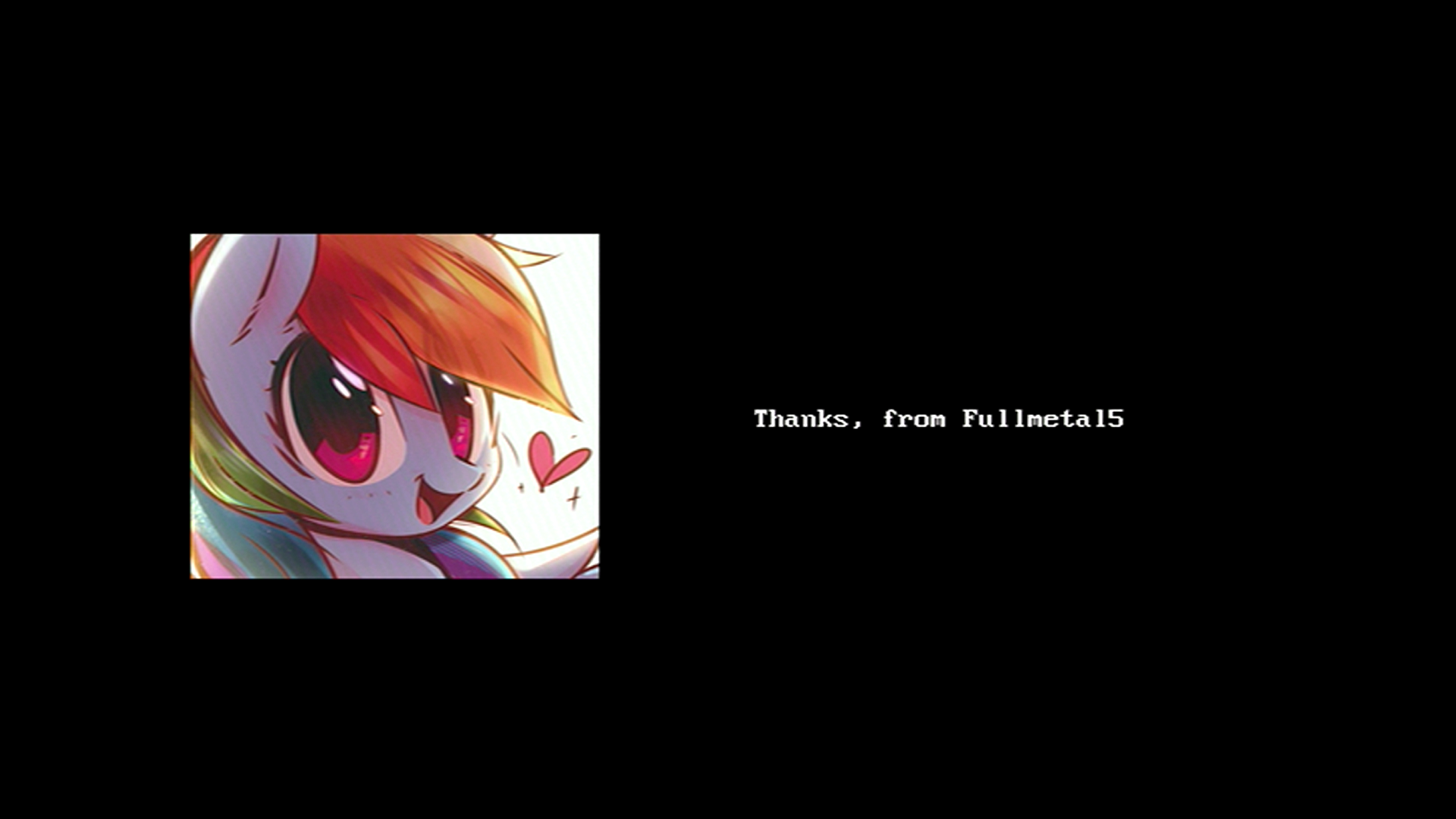
if you see a picture of rainbow dash, you've succeeded! the hackmii installer should boot in a couple of seconds.
section 3: bootmii and the homebrew channel
no matter what exploit you choose, they will all divert you to the hackmii installer. this is a tool created by fail0verflow (formerly team twiizers) that installs the homebrew channel and bootmii to your wii, both essential pieces of software for any softmodding.
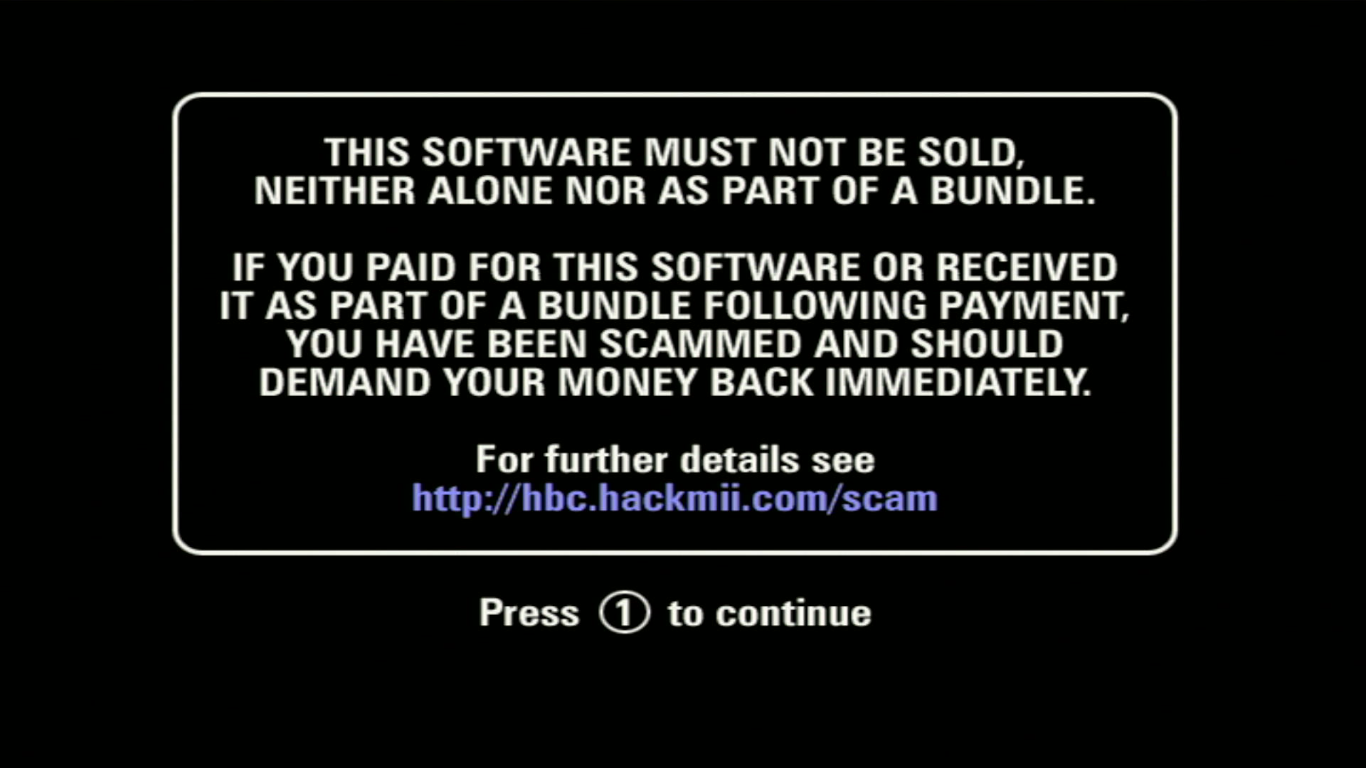
please note that if you payed for the hackmii installer at all, you have been scammed. the homebrew channel and bootmii are both free software. all of the exploit methods i've listed are free. please don't fall for a scam! <:-)
all of the screenshots shown are from wii.hacks.guide since unfortunately the ios bugs required to run bootmii aren't emulated on dolphin :-(
- after using one of the exploits above, you should see this screen. wait 30 seconds, and
press 1 to continueshould appear.
- press
continuehere.
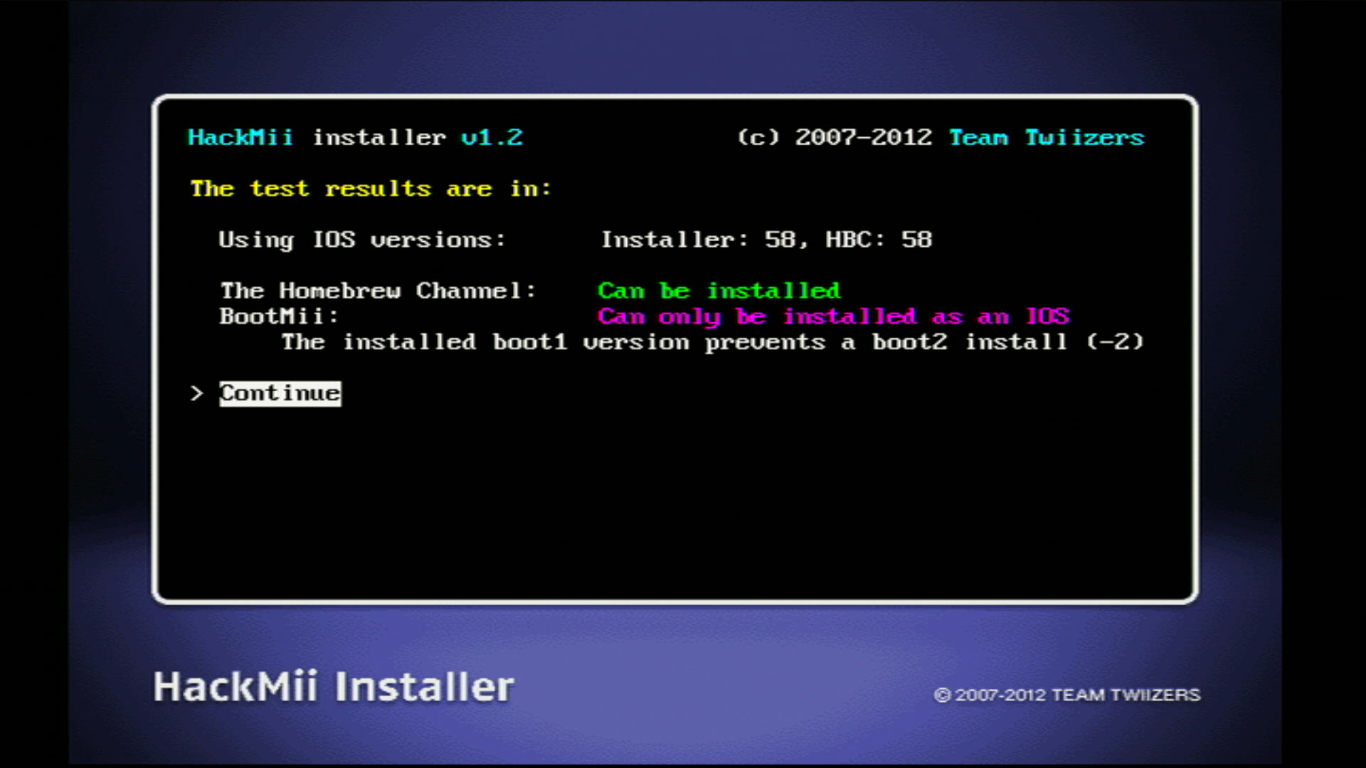
- first you should install the homebrew channel. once it's done, select
continue.
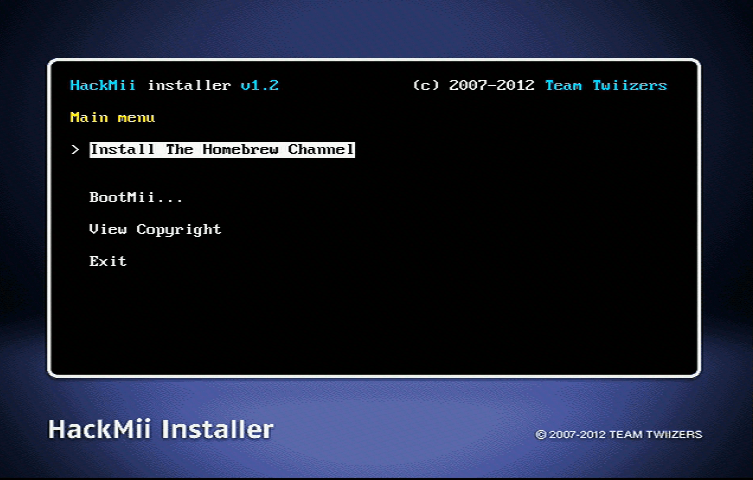
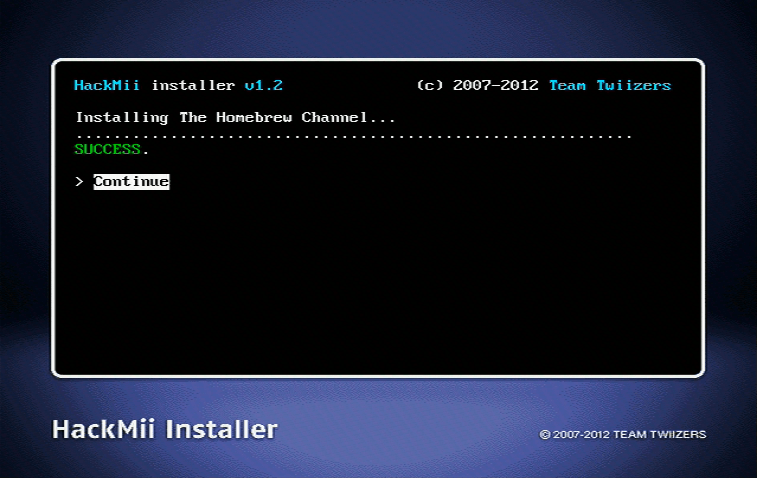
- you should also install bootmii as ios. use the d-pad on the wii remote to navigate menus.
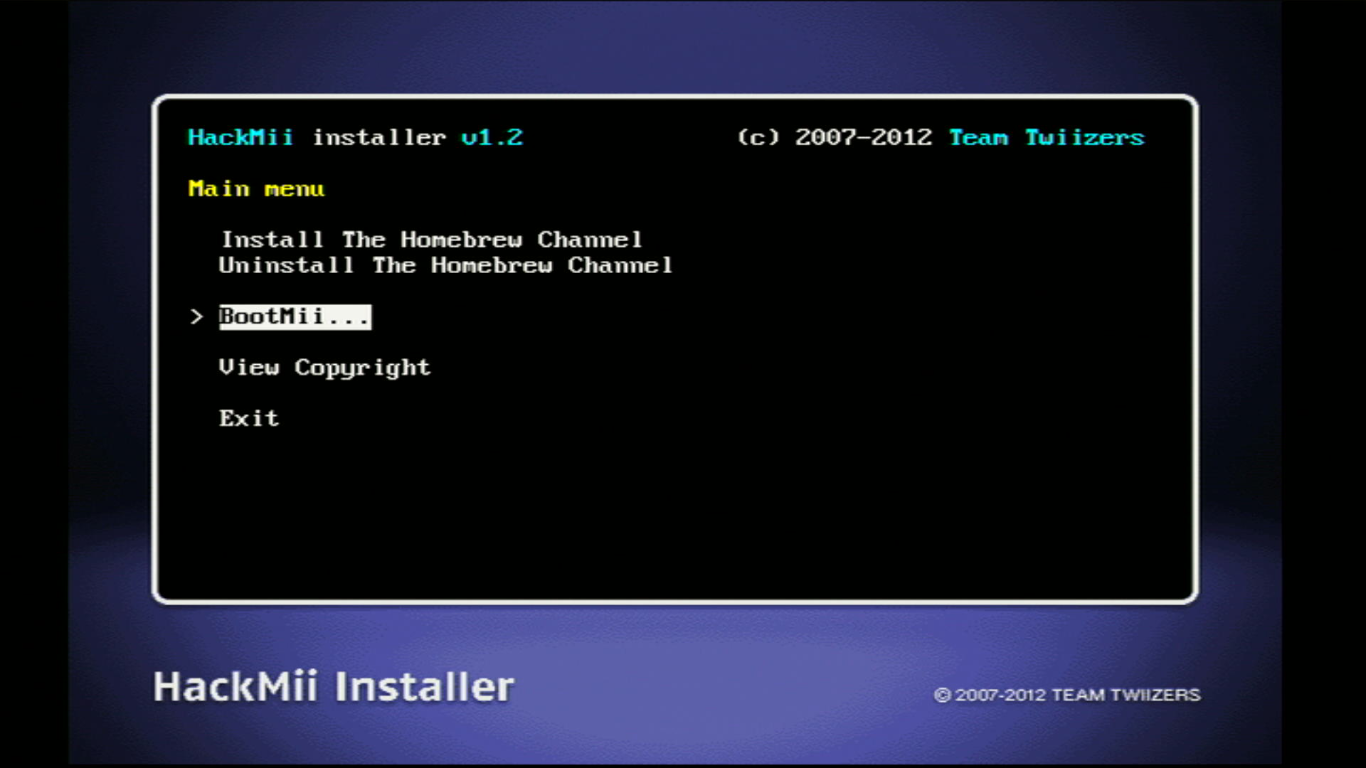
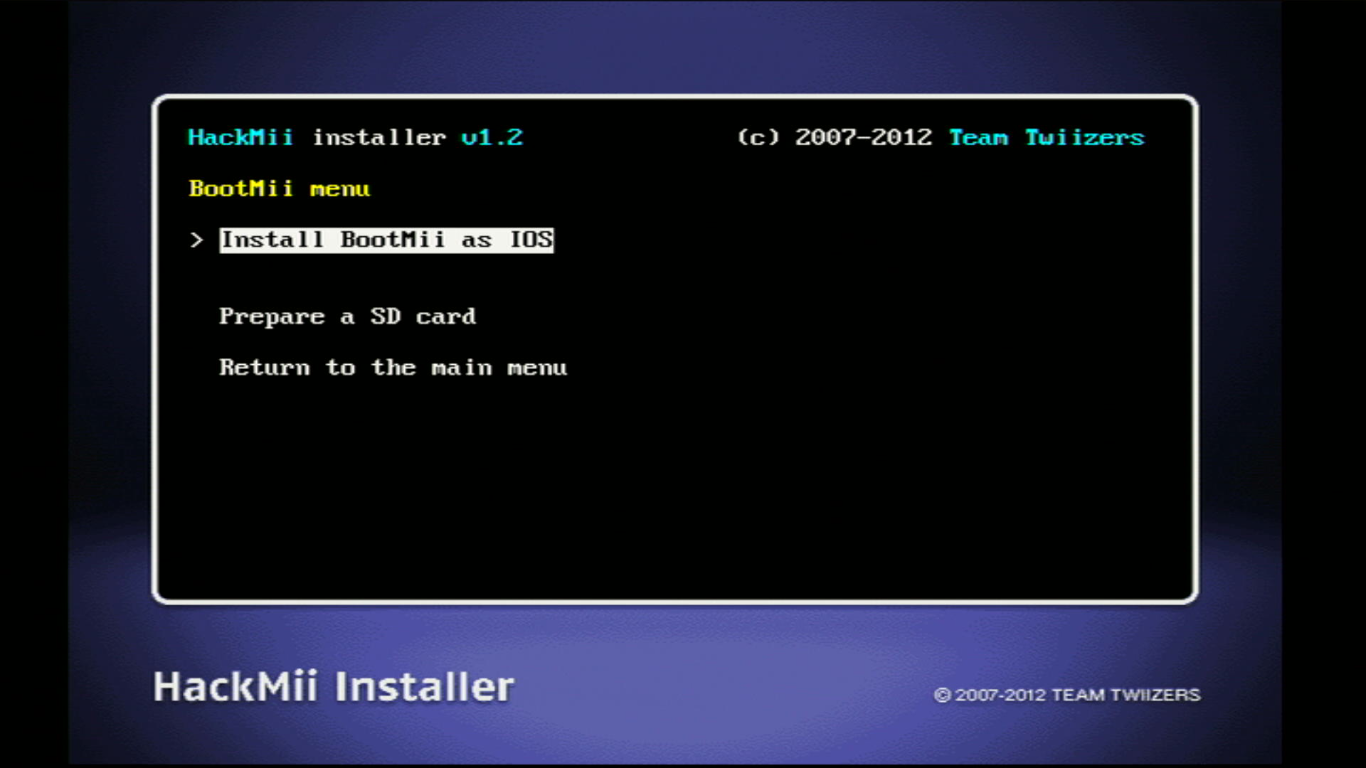
- click through a bunch of
yes, continues and install bootmii as ios. once that's done, install bootmii as boot2 if you're able.
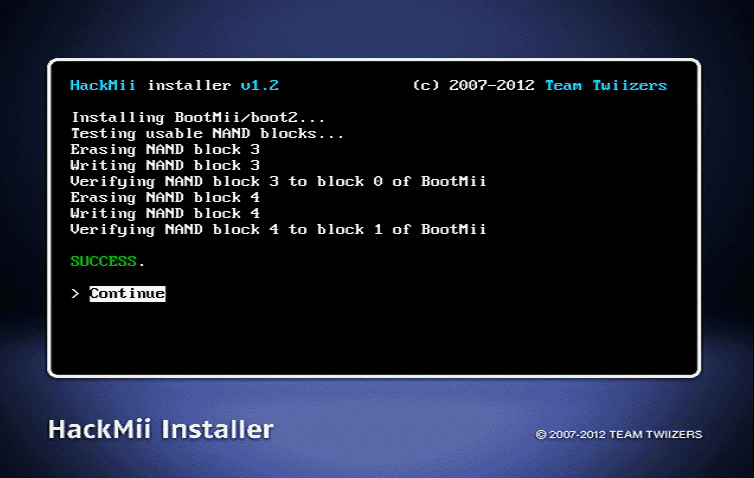
- after that, select
return to the main menu, then selectexit. you should be in the homebrew channel!
backing up your nand using bootmii
it's very very very highly recommended to create a nand backup! although restoring a nand backup is usually a last-resort option in case of a low-level brick, it can absolutely save your ass. you need at least 1gb of free space on your drive to create a nand backup.
unfortunately you can't use your wii remote to navigate the bootmii menus. you have to use the buttons on the console or a gamecube controller.
for console buttons: power button = move right ; reset button = select
for gamecube: d-pad = navigation ; A = select
DO NOT SPREAD YOUR NAND BACKUP ONLINE, AS IT CAN AND WILL LEAD TO DAMAGE TO YOURS OR OTHERS' WIIS.
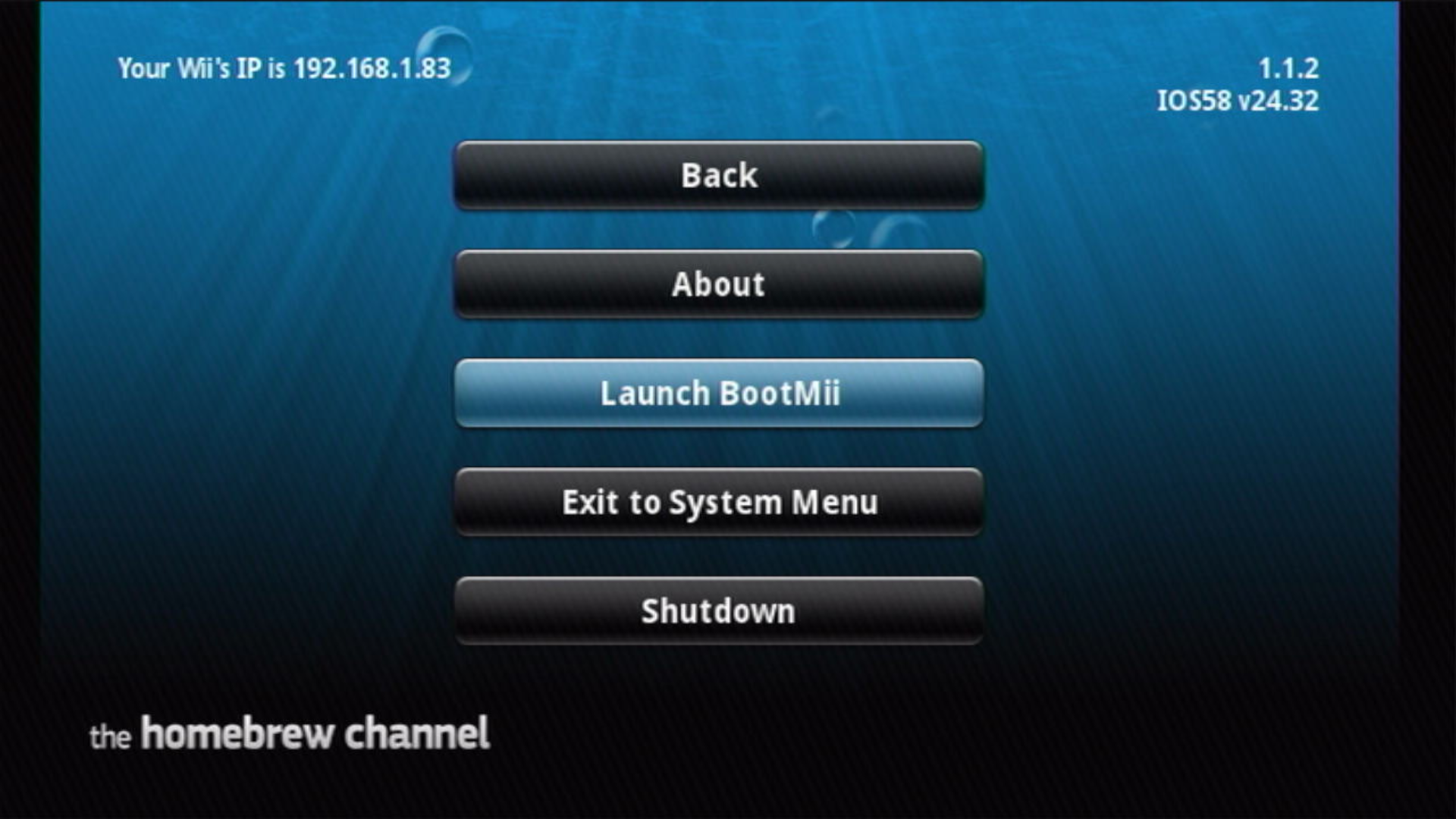
- in the homebrew channel, press the home button and go down to
launch bootmii. if you installed bootmii as boot2, just restart your console.
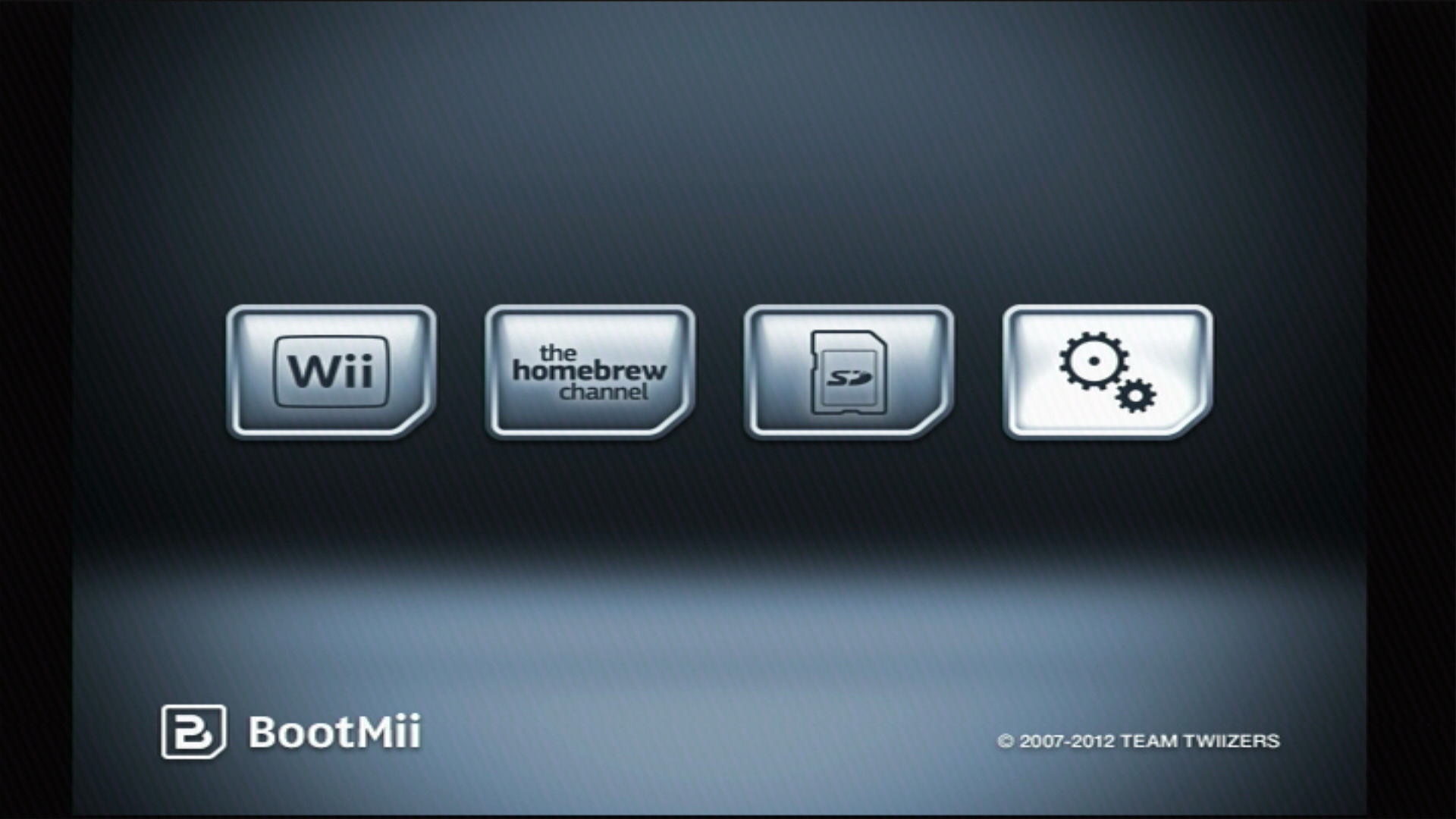
- once in the bootmii menu, enter the settings menu (gears).
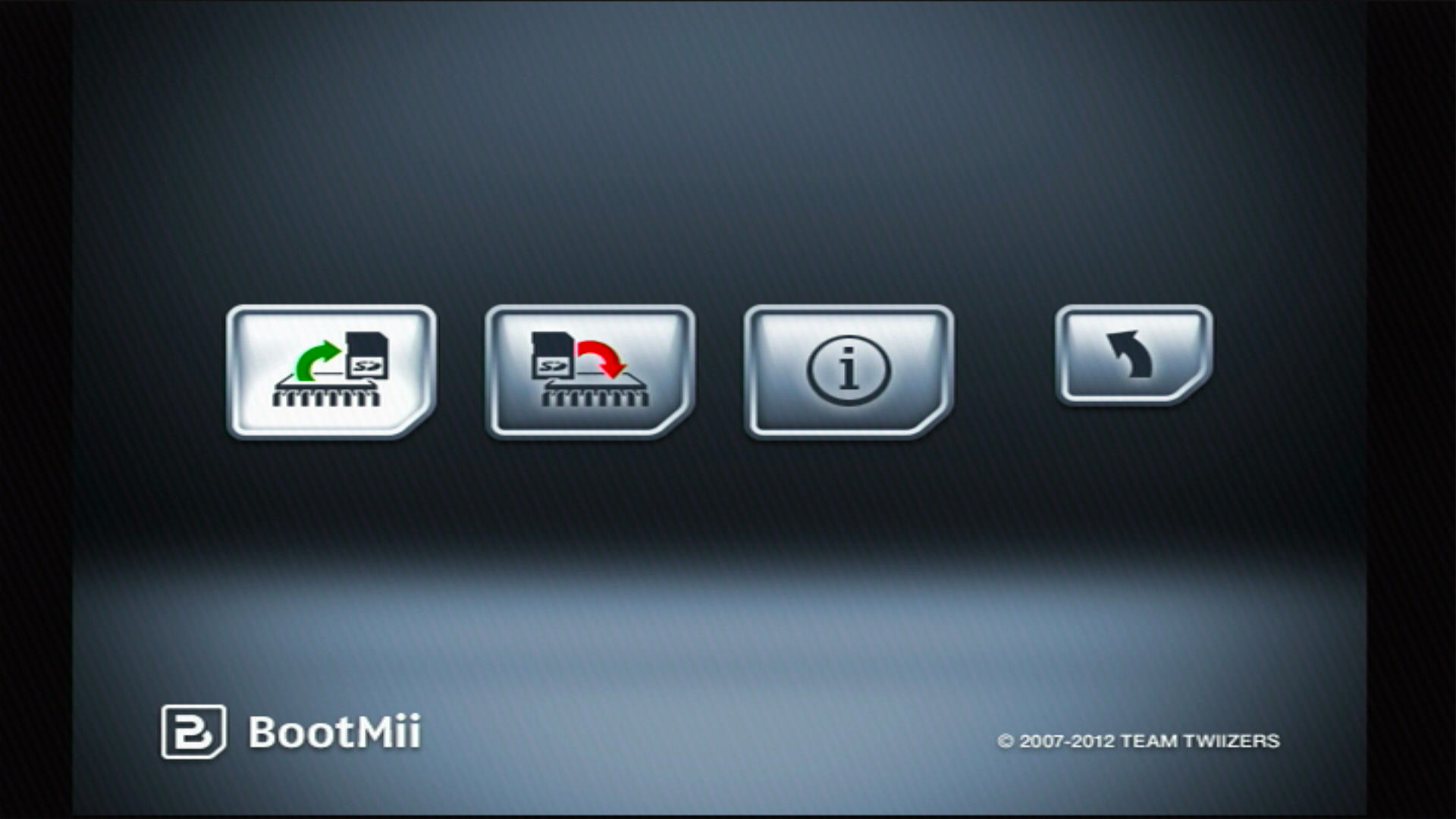
- click on the 'create nand backup' button (an sd card and green arrow).
- a nand backup will now be created. sit back and watch bootmii do its thing. 'bad blocks' mostly originate from the factory. don't worry if you see some during the backup process! they probably aren't all that important anyways.
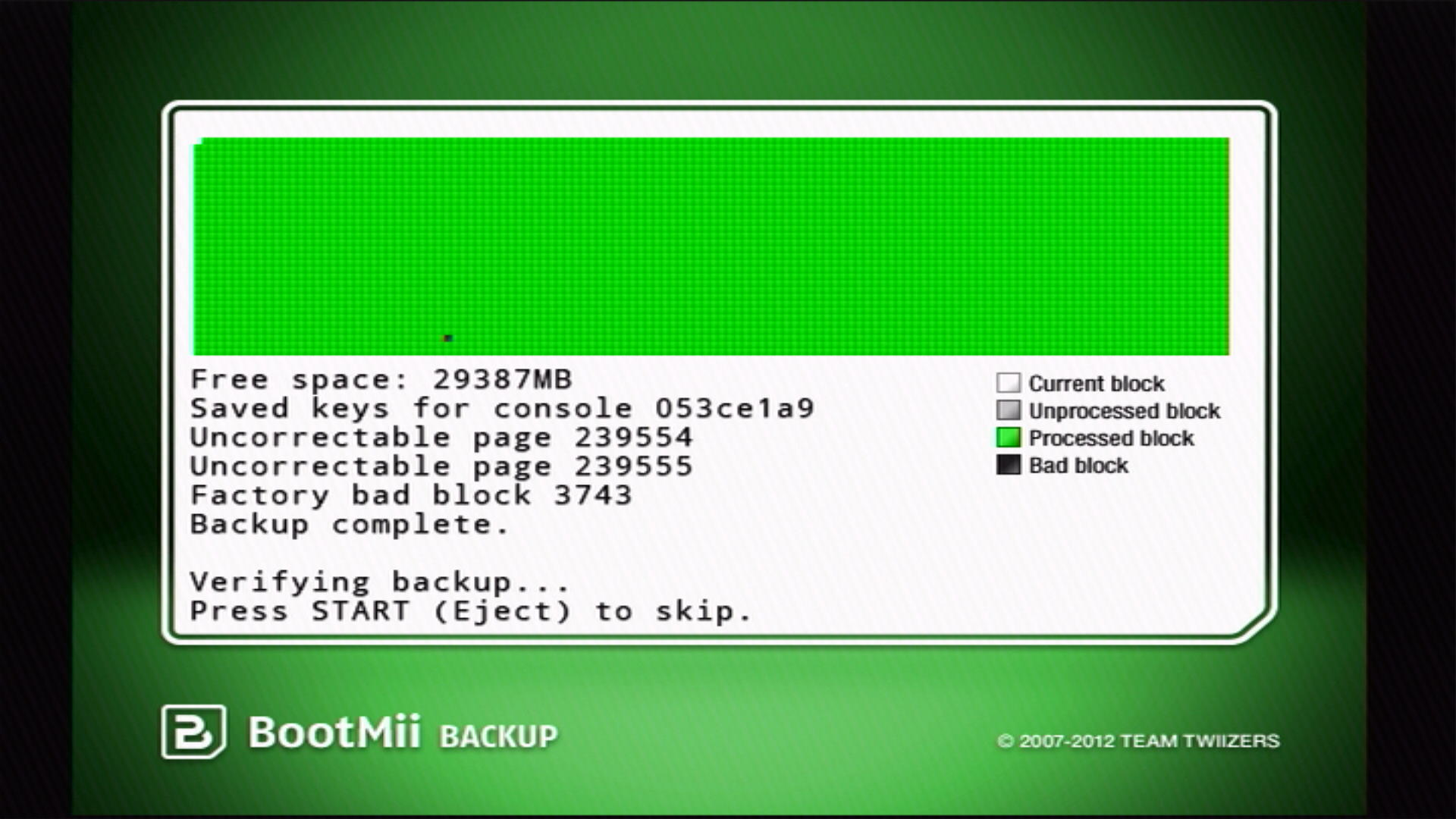
- after the backup is made, bootmii will verify it. everything should be green here, but don't freak out if the bad blocks from before don't process.
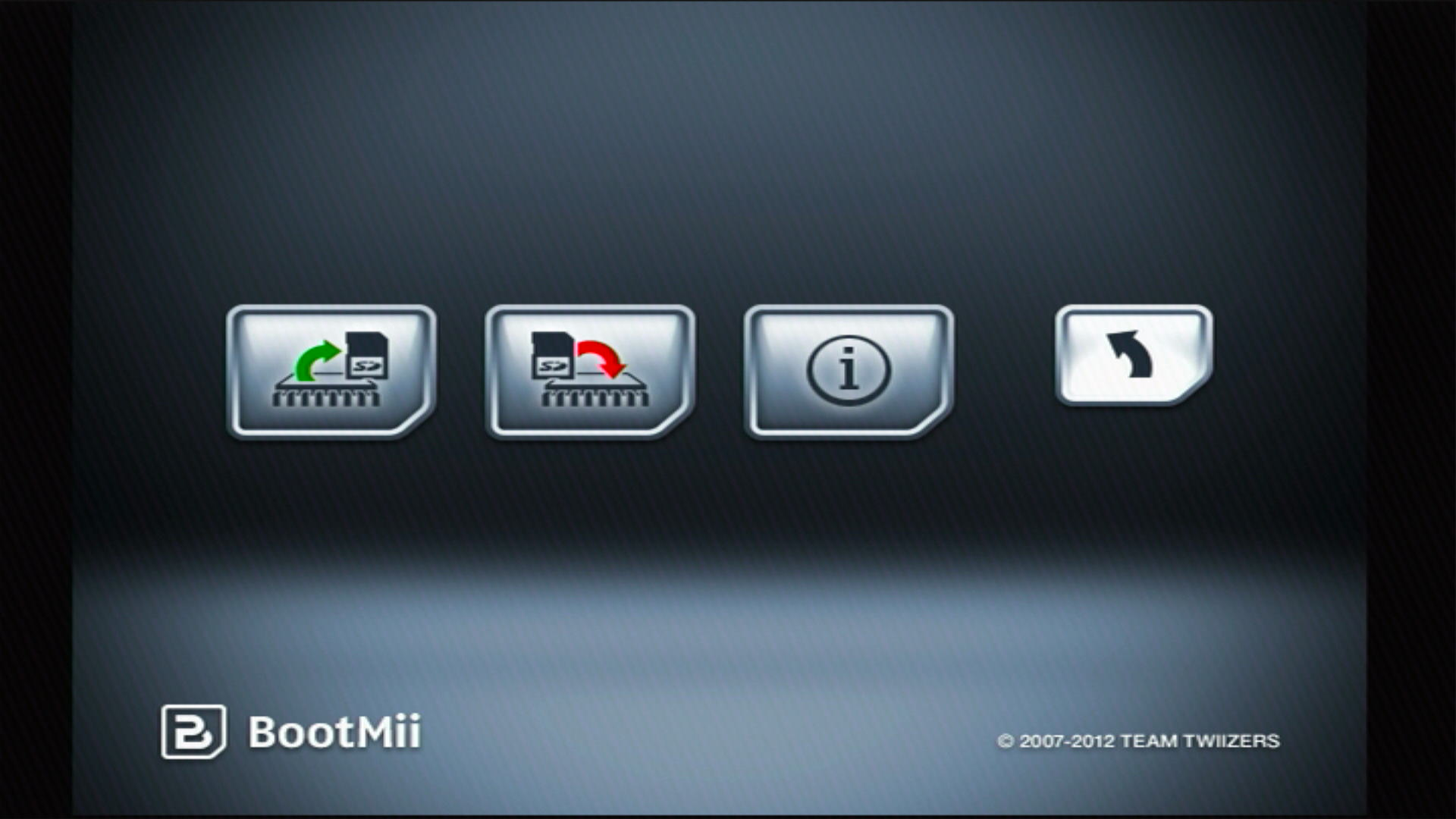
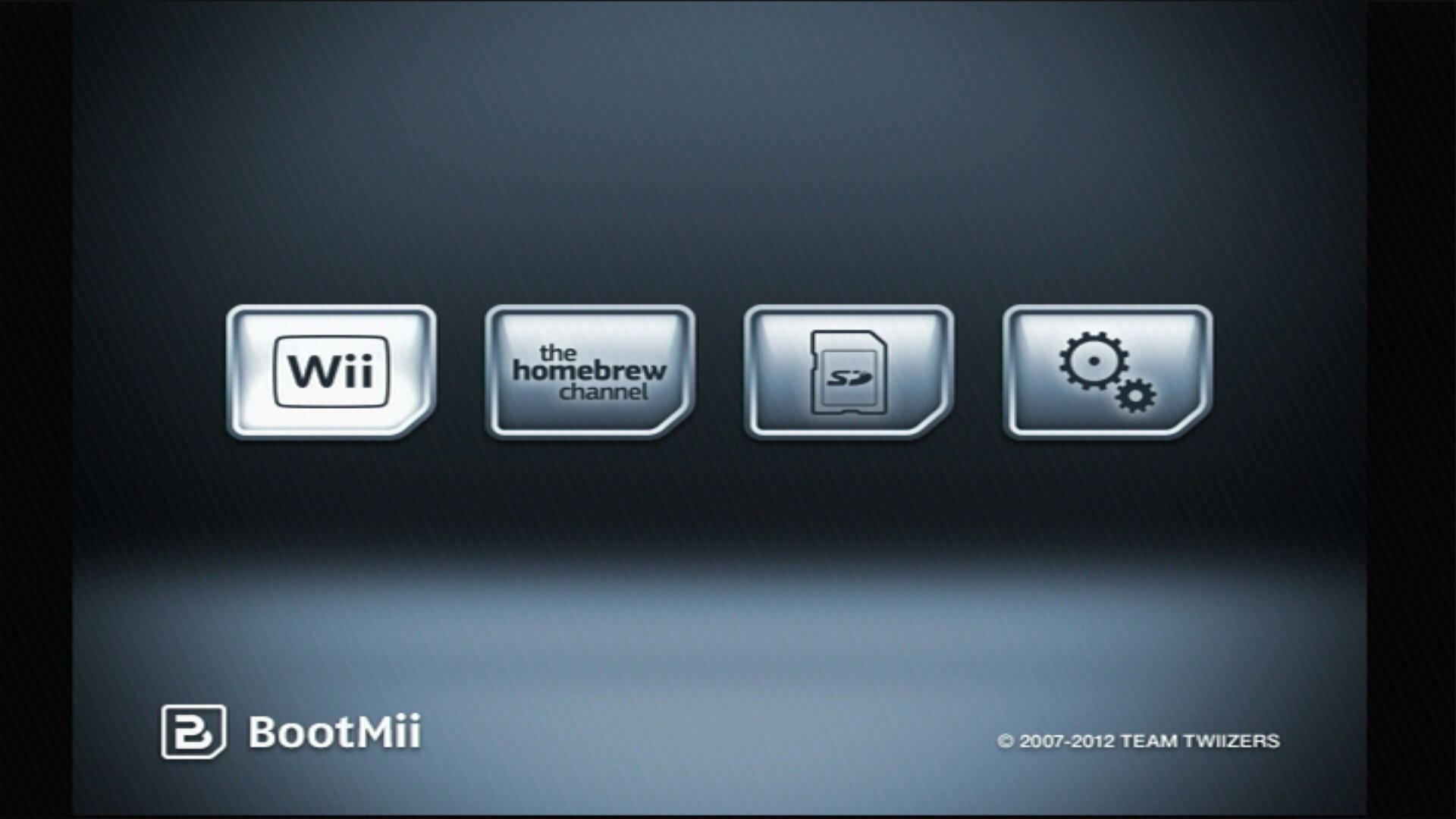
- press any button to go back to the bootmii menu. click the return button (black arrow), then click the wii menu or homebrew channel button.
open shop channel
the open shop channel is a neat little piece of software that's like the wii shop channel but for homebrew. it's convenient if you find a piece of software that you like, but don't wanna get up and get your sd card to download it. this is an optional step!
there are two options for accessing the open shop channel: libreshop, a modern and light access point with a text-based interface, and the homebrew browser, a slightly less stable access point with a graphical interface.
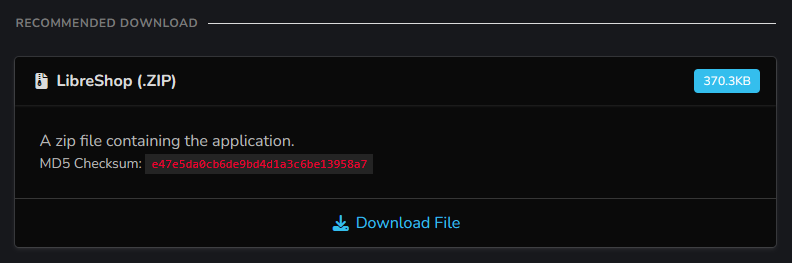
- download the recommended zip file from either link. it should look like this:
- put the
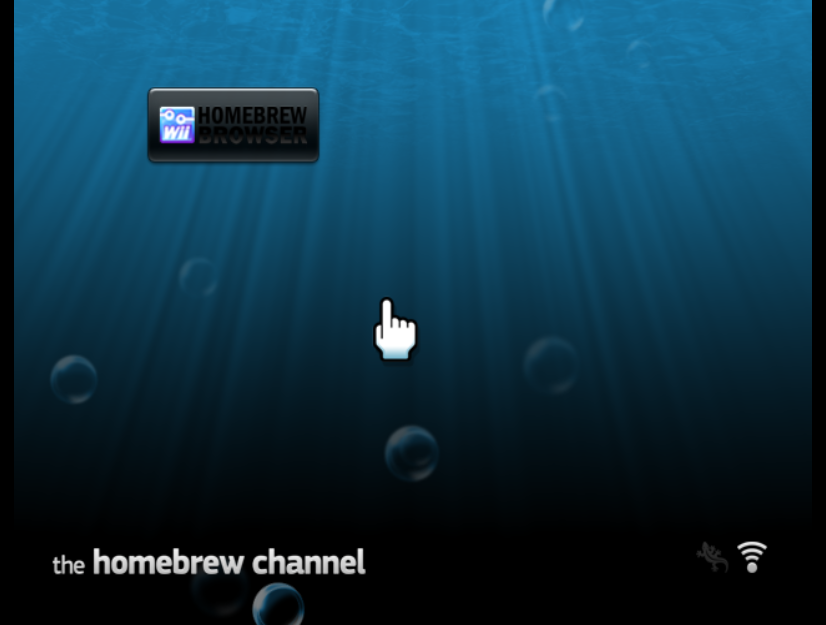
appsfolder into the root of your sd card or usb drive. - put the drive in your wii, turn it on and go to the homebrew channel. libreshop or the homebrew browser should show up now.
section 4: other things you should do
here are some more bits of homebrew that i find crucial, whether it be brick protection, unlocking features, or just something useful. all of these things are available in the open shop channel.
priiloader
priiloader is another layer of brick protection that prefaces the health & warning screen when you boot up your wii. it also provides console mods that can prove useful if you're tinkering.
- open up libreshop or the homebrew browser.
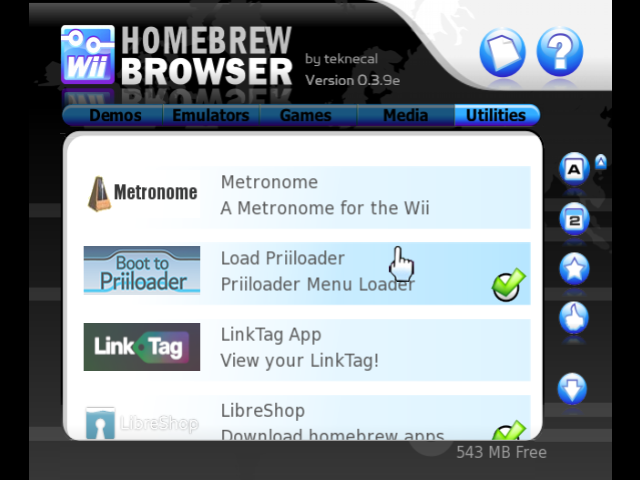
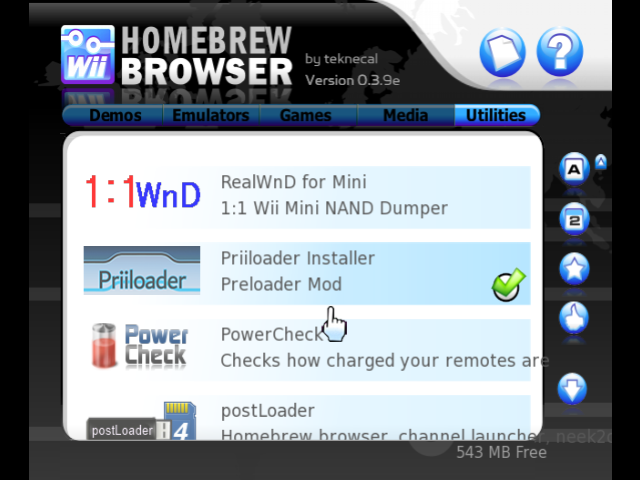
- navigate the
utilitiesmenu until you find the appsload priiloaderandpriiloader installer. download BOTH.
- go back to the homebrew channel. you should see those two programs now.
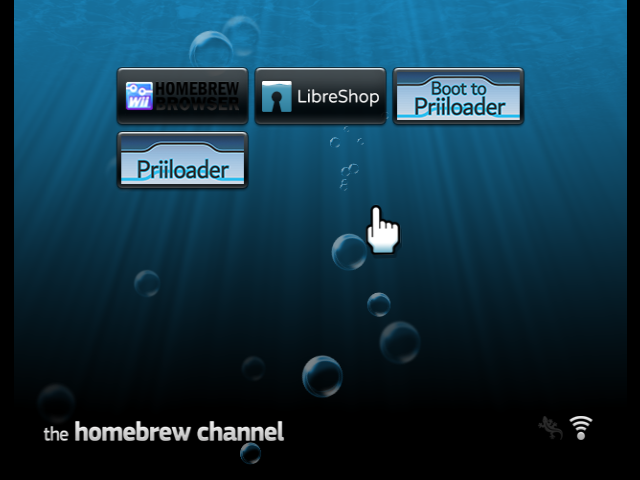
- click on the one that says just
priiloader. once initialized, click A or + to install.
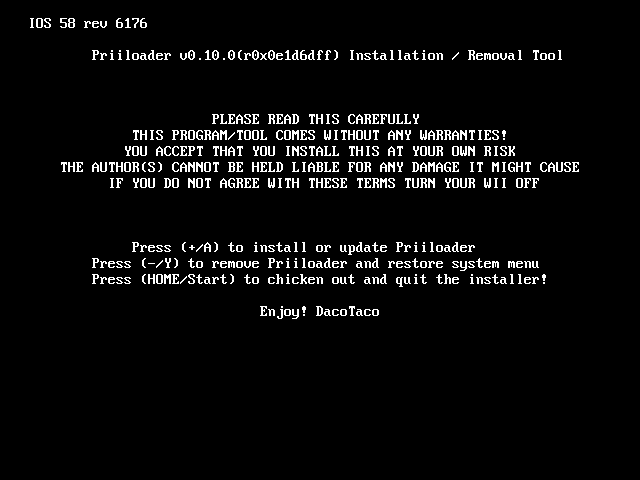
- after installation, click A to go back to the homebrew channel. then select
boot to priiloader. - you're now in priiloader. go down to
system menu hacksand press A.
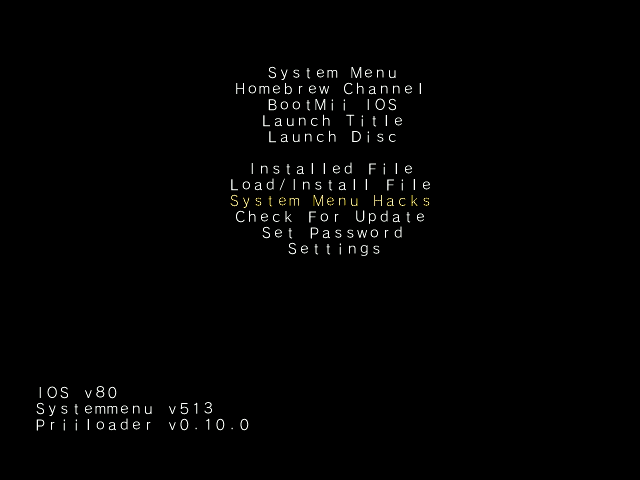
some recommended hacks:
- 480p graphics fix in the system menu
- remove deflicker (if you're not on a crt display)
- block disc updates
- block online updates
- scroll down to
save settingsand press A. then press B to go back to the homebrew channel.
in case your console is bricked and you need priiloader, hold the reset button on your wii while it's booting up.
custom ios (cios)
a custom ios is a modified version of the wii's system software that allows certain homebrew programs to work where otherwise they wouldn't. this is a guide to installing a basic set of cios to your wii using the d2x cios installer program.
please be incredibly careful while following this tutorial! modifying your ios without knowing what you're doing can result in fatal bricking. never install cios meant for the vWii or wii mini onto the regular wii!!!
- open up libreshop or the homebrew browser.
- navigate the
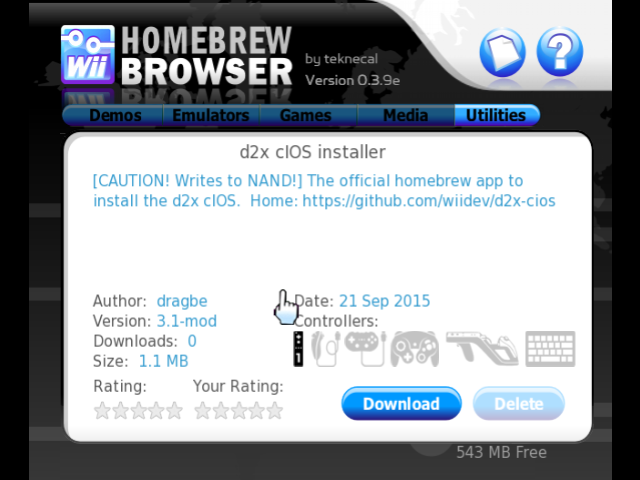
utilitiesmenu until you find the appd2x cios installer. download it.
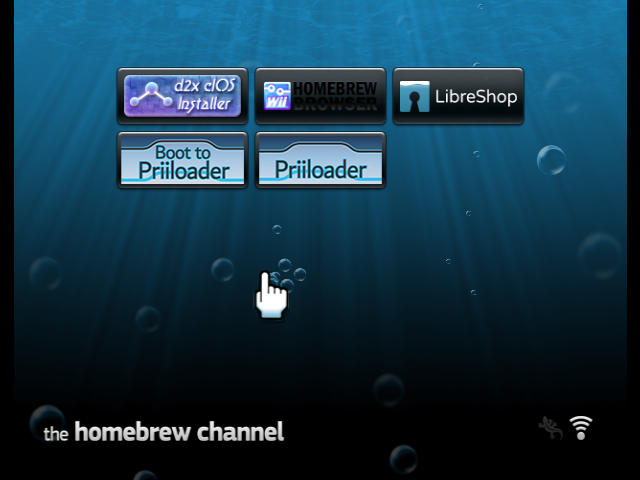
- go back to the homebrew channel. you should now see the program.
- turn off your wii and plug your sd card or usb drive into your computer. install nusget. your antivirus may flag the download as malware. this is a false positive! nusget is completely safe.
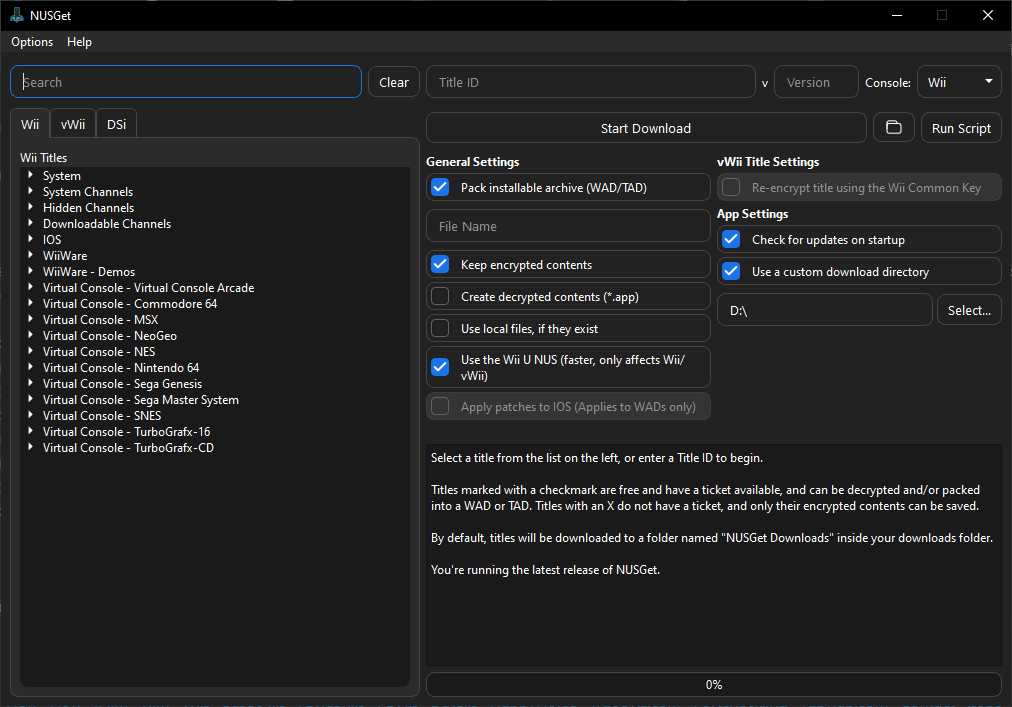
- open up the program. it should look something like this, depending on your os.
- navigate to
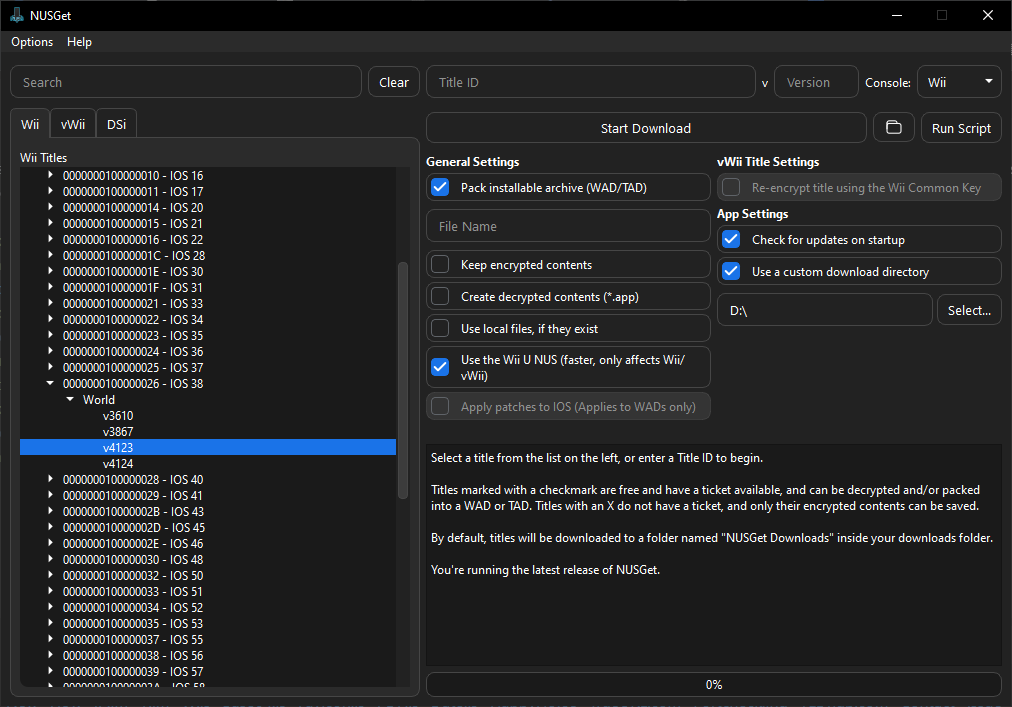
ios -> ios 38 -> worldand double-clickv4123. make sure to uncheckkeep encrypted contents, then pressstart download.
- repeat step 6 for ios 56 v5661, ios 57 v5918, and ios 58 v6175.
- after downloading all of the ios files, click the folder icon next to
start download.
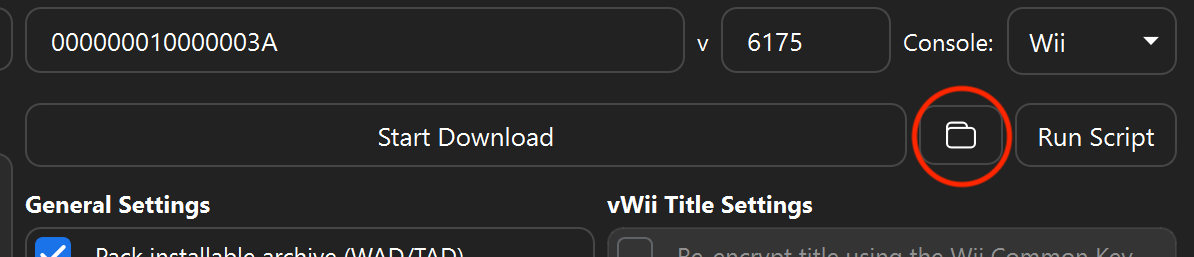 the folder icon will bring you to the directory where all of the ios folders are installed. there should be 4 of them, like so:

- inside each folder should be a wad file. move each wad to the root of your sd card or usb stick.
- plug your drive back into the wii and open up d2x again. make every setting match the image below.
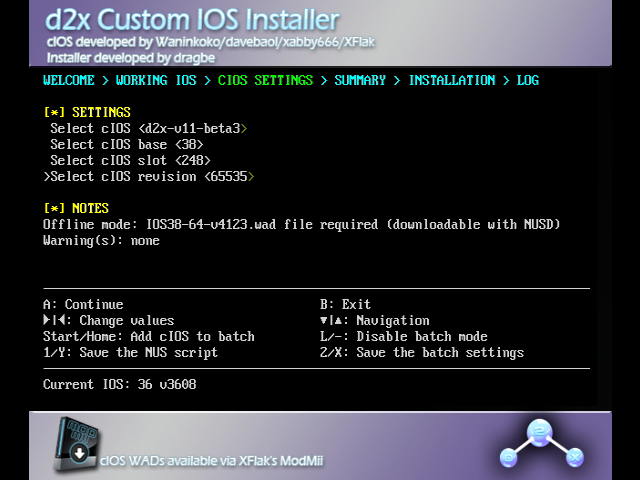
- install ios 38 in slot 248. after the download, in the summary screen, slot 248 should be highlighted green. if it's red or purple, try again from step 6.
- repeat step 10 for ios 56 in slot 249, ios 57 in slot 250, and ios 58 in slot 251. if there already is content in any of those slots, it's safe to overwrite them.
- press B to return to the homebrew channel.
yawmme
yawmme stands for yet another wad manager: modmii edition. it's exactly what it sounds like, a tool to manage .wad files (usually channels) on your wii. it'll be necessary for revitalizing nintendo wfc and wiiconnect24.
- open up libreshop or the homebrew browser.
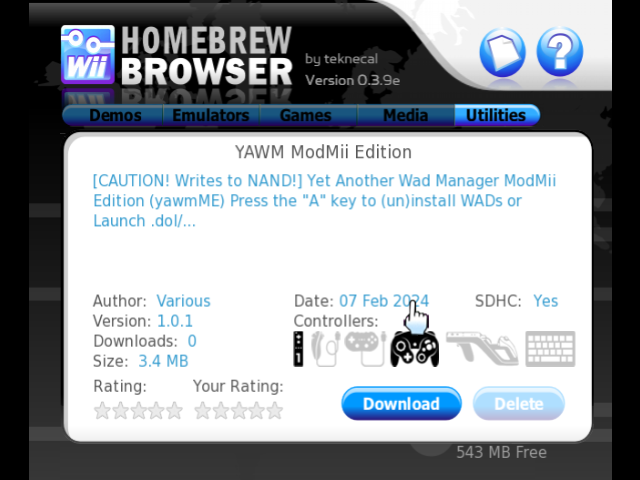
- navigate the
utilitiesmenu until you find the appyawm modmii edition. download it.
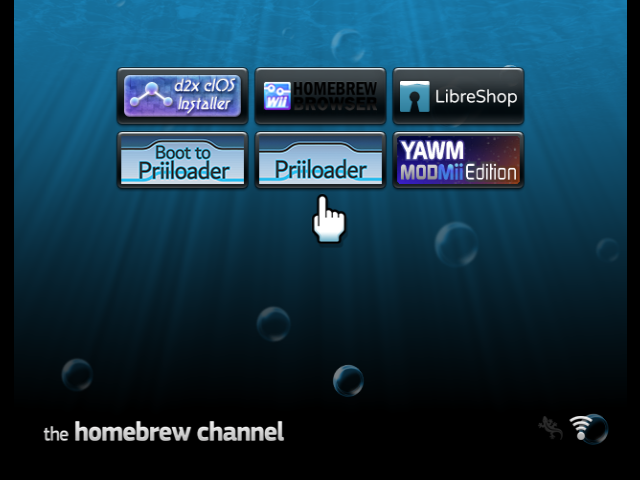
- go back to the homebrew channel. you should now see the program.
wiilink24 (wiiconnect24 revival)
wiilink24, a merge between wiilink and riiconnect24, is a revival of the wiiconnect24 online service that shut down in 2013. in addition to restoring online functionality to most games and channels, wiilink also translates and localizes several japanese-exclusive wii features, like wii room, the photo prints channel, and the food (demae) channel.
there are a lot of features associated with wiilink, but here i'll just cover the basic installation.
- go to https://wiilink.ca/, accept the terms of service, and download the wiilink installation package for your os.
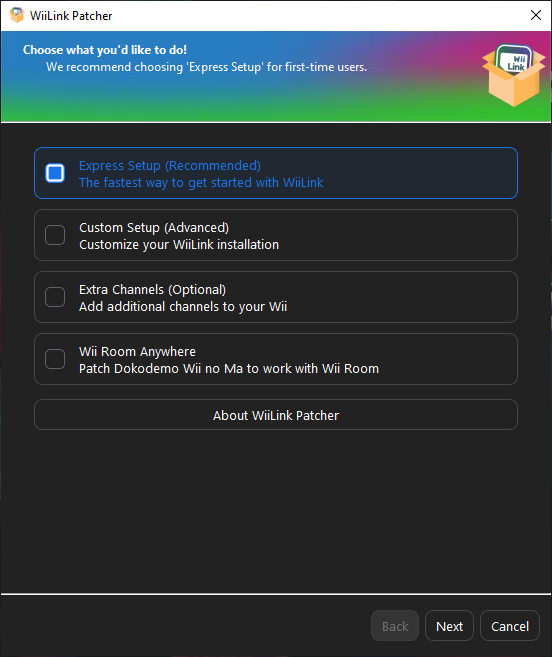
- open the wiilink executable and choose your language. here it will allow you to choose what kind of installation to do. if this is your first time using wiilink, choose
express setup.
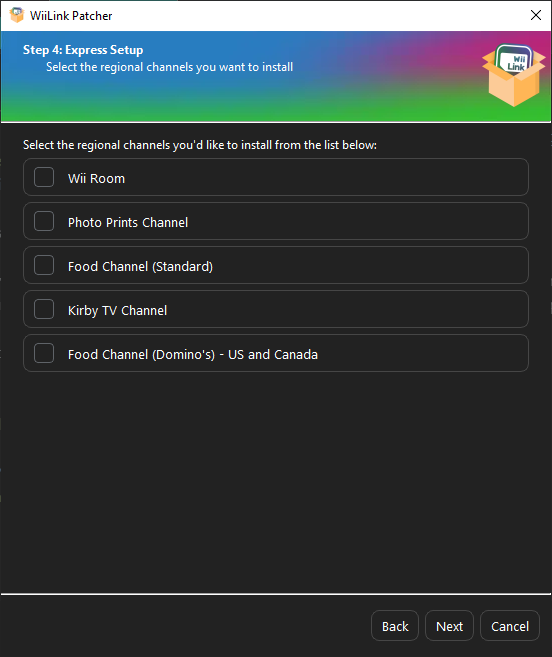
- choose your language and region, then choose what channels you'd like to install.
a note about the food channel: the "standard" version is the japanese version, which is no longer in service afaik, i don't know, i don't live in japan. however, the wiilink team have partnered with dominos so in the us and canada you can actually order pizza to your house. neat, huh?
april 12th update: food channel: just eat is now available in several european countries!
- choose your console, then the directory on where to install the wiilink channel files. you should download them to the root of your sd card or usb drive.
you will see that not only were channel files downloaded, but so were a few homebrew apps. these apps are additional functions that wiilink provides, and i'll go over them soon.
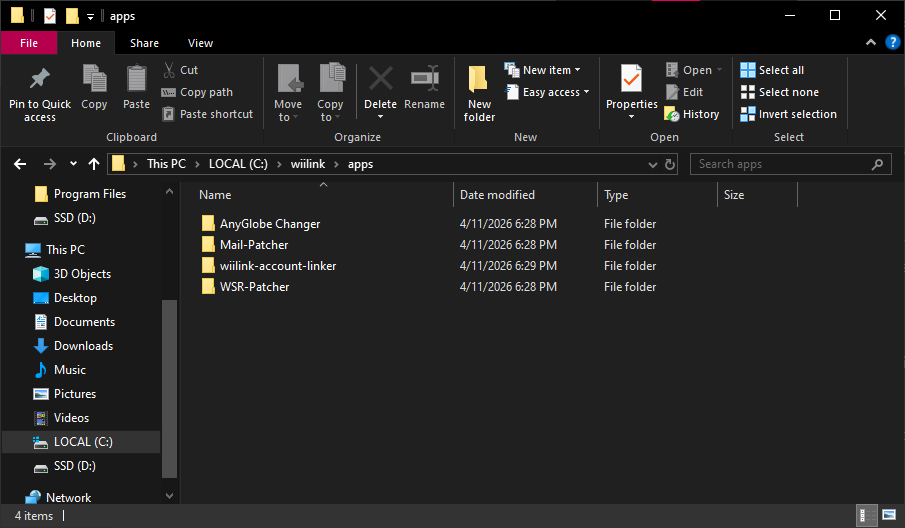
- put your sd card or usb stick in your wii and open the homebrew channel. go to yawmme.
- you should now see several wad files appended with
[WiiLink]. install all of them. - enter libreshop or the homebrew browser. search in
utilitiesfor the applicationsntpand download it.
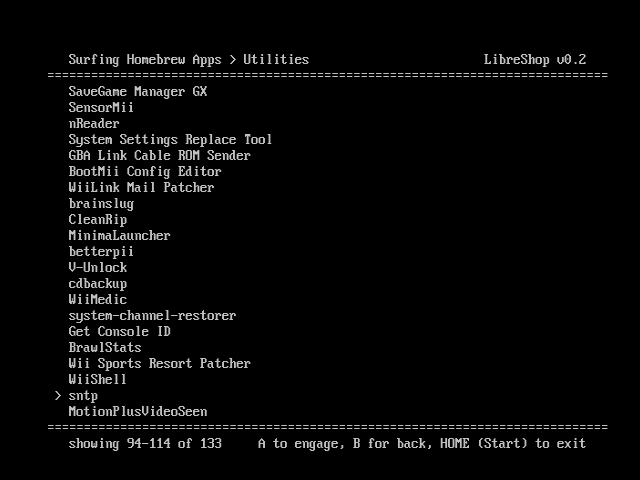
- open up sntp and set your timezone. click the home button to exit.
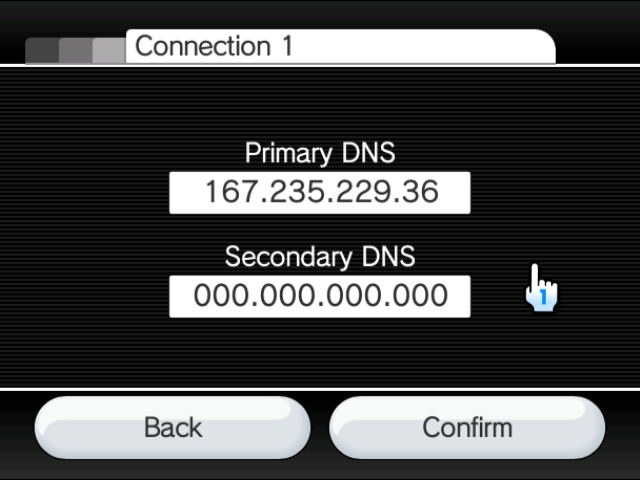
- enter the internet settings and set your dns as
167.235.229.36. (see the str2hax section for a tutorial on changing your dns.)
please check if your isp (internet service provider) supports custom dns! if they don't, you CANNOT use wiilink.
you should now be connected to wiilink's servers! enter one of the newly installed channels to see if it works. the food channel, check mii out channel, wii room, photo print channel, and everybody votes channel require you to create a wiilink account at https://accounts.wiilink.ca/.
if you need any help, join the wiilink discord server for support. they're lovely people, trust me
section 5: bricks, errors and the like
as with any softmodding there is always the risk of bricking your wii, rendering it unusable (for the most part). this section will cover a bunch of ways you can brick your wii, and how to fix it if you accidentally encounter one of them.
i opened the wii settings menu and an opera browser error occured.
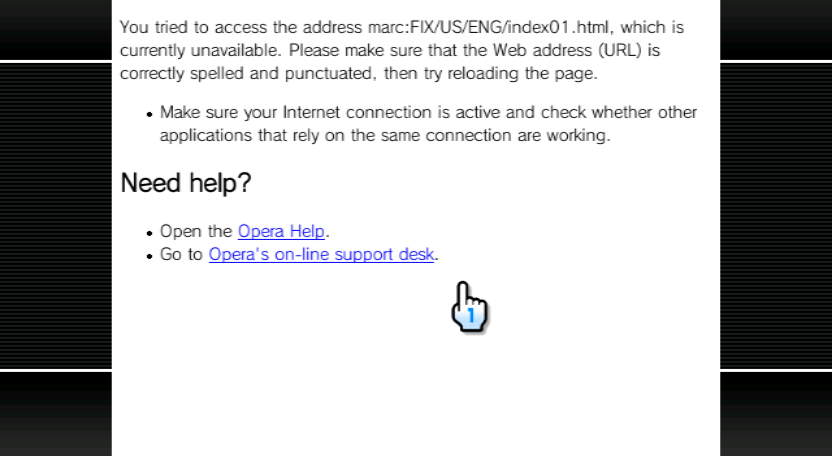
this is called an opera semibrick. it happens when you install a different region wii menu to the one that's entered as your console's region. for some reason, nintendo thought it'd be a good idea to use html of all things to render the wii settings menu, so this is the equivalent of a 404 error on a webpage.
to fix it, restart your wii and enter the arc-me homebrew app, which came with wiilink. verify that the location listed in there is the same as the location in the error message. you can also use nusget to find a wad that matches your wii's region. please be very careful! changing your wii's region can worsen the brick if done improperly.
if you're moving to a different country irl, you can use arc-me to automatically fix everything.
i get an opera error or a white screen with 3 black dots on boot instead of the health & safety screen.
this is an opera fullbrick. not only did you install a wii menu different from your wii's region, but the SYSCONF file is missing or broken.
if priiloader or bootmii as boot2 is installed, then fixing this is trivial. you can boot directly to the homebrew channel, and from there, reinstall the wii system menu using nusget and a wad manager. if neither priiloader nor bootmii as boot2 are available, you can try bluebomb (tutorial in section 2) or recovery mode with a drivechip (tutorial in section 6). please be very careful! installing the wrong menu could break things further.
i installed a theme, and now my wii's screen is completely black.
this is called a theme brick. it happens when you install an incorrectly compiled theme, or a theme for an incorrect system menu version.
if you have priiloader or bootmii as boot2, you can boot directly into the homebrew channel and use csm-installer to revert back to the original wii theme. if neither priiloader nor bootmii as boot2 are available, you can try bluebomb (tutorial in section 2) or recovery mode with a drivechip (tutorial in section 6). please be very careful! installing the wrong menu could break things further.
i installed a wad file, but when turn my wii on, it freezes or displays "the system files are corrupted."
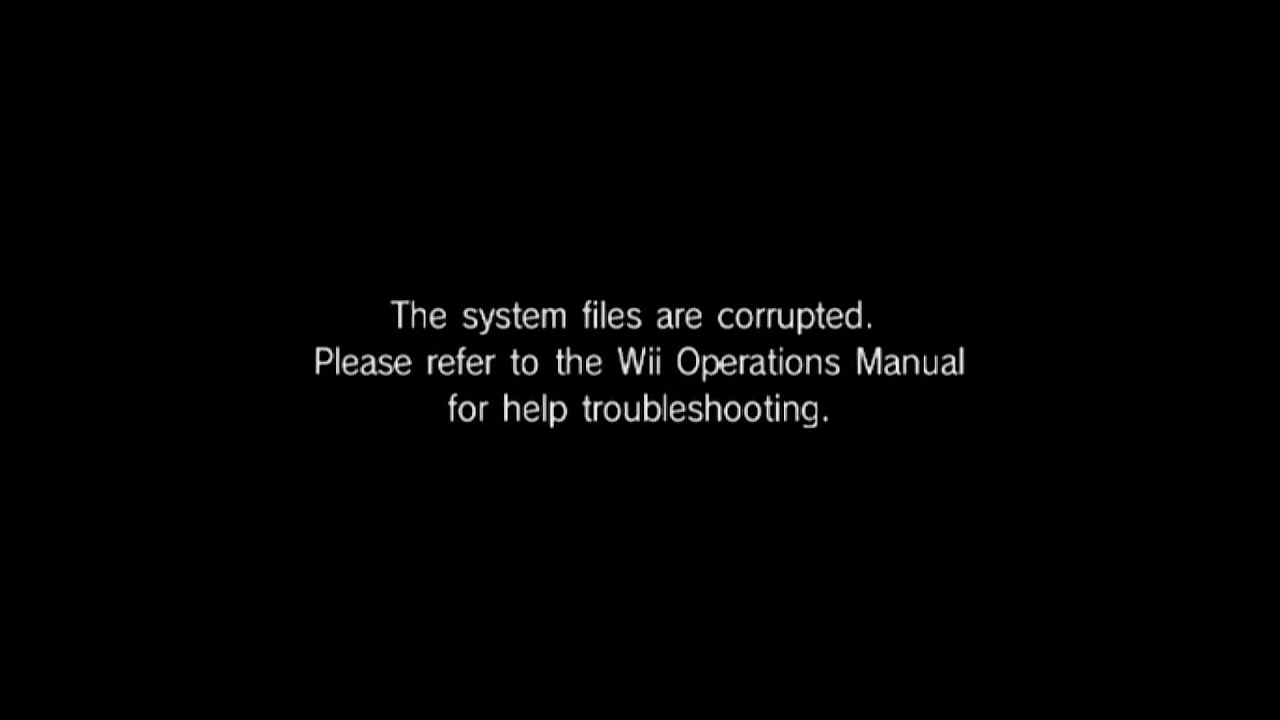
i've gotten this one before. it's called a banner brick, and it happens when a channel you installed has an incorrectly formatted banner or icon.
if the brick occurs only when you click on the messed-up channel, you can restart your wii, boot into the homebrew channel, and use a wad manager like anytitle deleter, yawmme or multi-mod manager to remove the bad wad (lol). if this error happens on startup, try using bluebomb (tutorial in section 2), maintenance mode or recovery mode (tutorials in section 6). be careful, you could mess things up further by deleting the wrong thing.
i just have a black screen. i don't think i did anything wrong.
you might've been bombarded with so much wii message board mail that it caused a mail brick. because the message board is at the bottom of the wii menu, it's the first to load and thus crashes the console before anything else can load.
to fix it, enter maintenance mode, which disables the message board (tutorial in section 6). once there, you can access the homebrew channel, and you can use cdbackup to delete the malformed mail. also, maybe tell your friends to stop sending so many messages.
error 001: unauthorized device has been detected
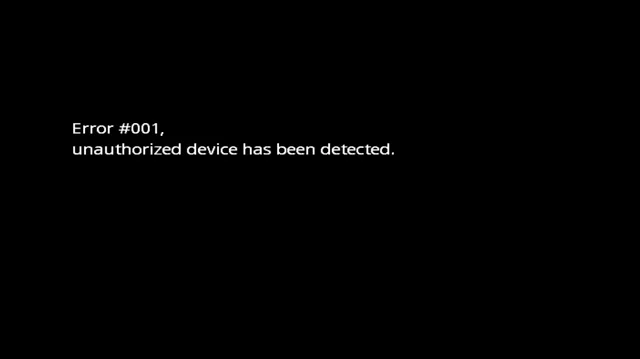
you somehow fucked up while burning a backup copy of a game and now the wii is freaking out about it. you might have also tried to load an iso from usb loader gx (or similar) without cios.
to fix it, eject the disc and restart your wii. reinstall cios using the d2x tool and the tutorial in section 4. try burning it again on a different disc, or load the iso using usb loader gx instead. i'm not going to condemn your piracy habit because i have one too. yar har fiddle dee dee and such.
error 002: an error has occurred (blue screen of death)
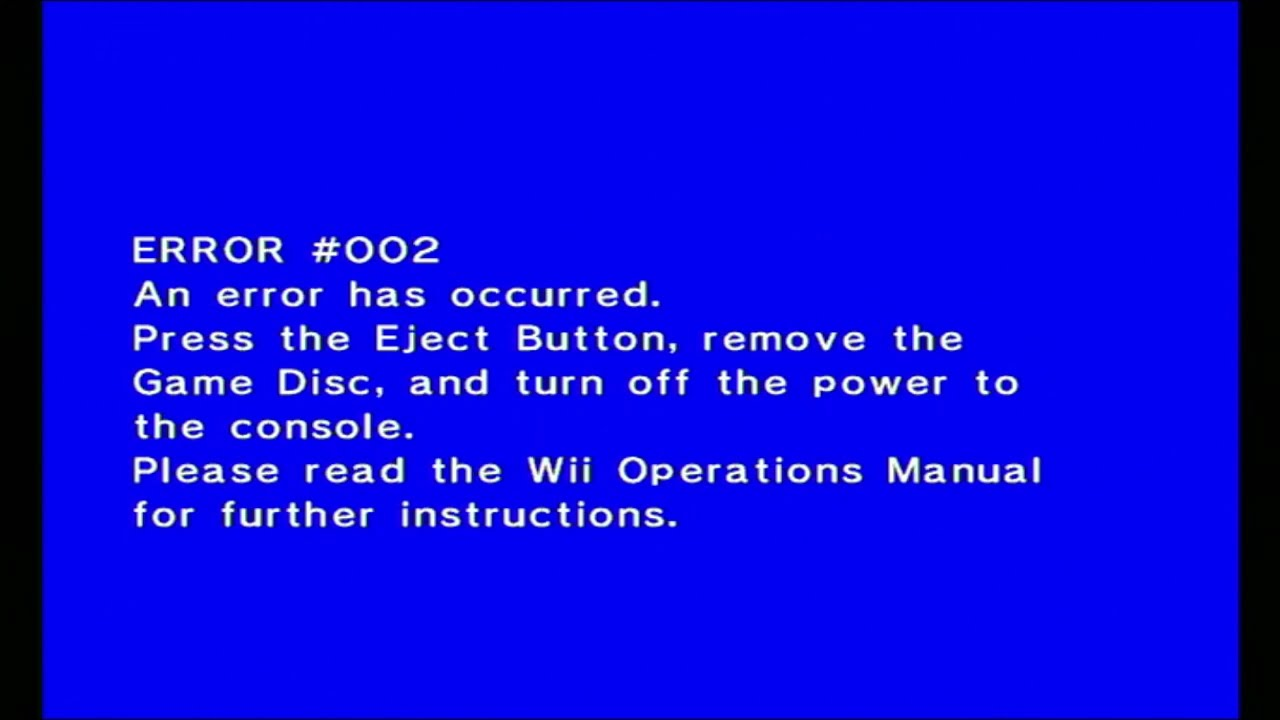
this one's also about piracy. shocking, i know. retail wii games manufactured after 2008 have a special check in them for what ios they're running on. if the one stored inside the disc is different from the one on the console, then error 002 is triggered.
i'm honestly not sure how to fix this. there must be some sort of cios to get around this, but if it exists, neither i nor consolemods.org know about it. if this error was triggered by a backup you made, a tool called generic wii patcher can fix 002-causing code.
error 003: unauthorized device has been detected
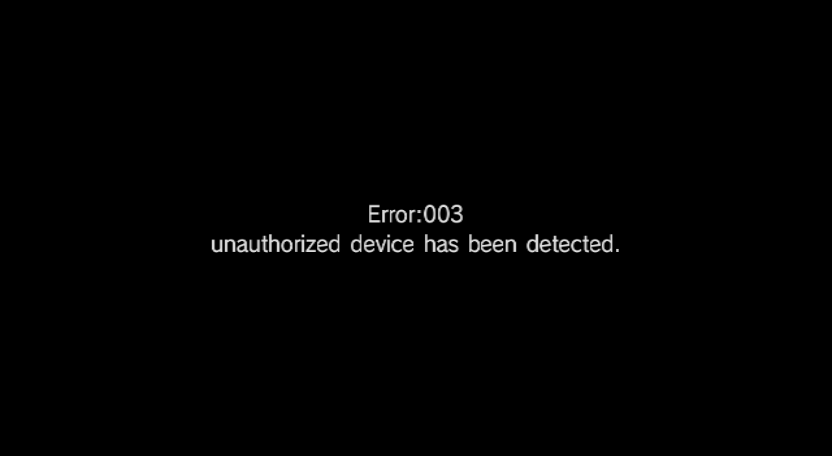
in june 2008, when nintendo was rolling out the wii in korea, they equipped the consoles with a special encryption key specifically to prevent homebrew and region unlocking. this (obviously) was a short-lived last-ditch attempt, but when system menu 4.2 rolled around in september 2009, the korean key came back to bite. if the korean key is detected on a non-korean wii, error 003 will be triggered.
it's pretty difficult, but possible to fix this. you need to install a drivechip and boot into recovery mode (tutorial in section 6) and into the homebrew channel. once you are able to boot homebrew, you absolutely need to use the koreankii tool to prevent this brick from ever happening again. good on you for actually fixing it though, i'd be scared shitless.
error 004: system files are corrupted
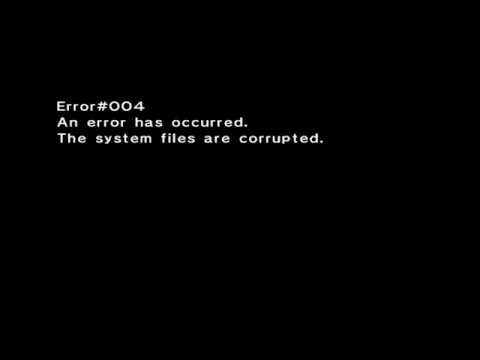
this is yet another instance of nintendo just making everyone's lives a little harder. system menu 4.2 not only made the korean key brick much more volatile, but it also patched the bannerbomb exploit. if you try doing it on system menu 4.2 or 4.3, error 004 will be triggered.
to fix this, just remove the exploit from your sd card. if you're on 4.2, you can re-enable bannerbomb v2 in priiloader.
i tried to downgrade my wii system menu and now the console isn't responding.
you've fallen victim to the ios brick. the most common cause is that the ios that holds your wii system menu's data has been reduced to a stub (placeholder). it tends to happen to people who try to downgrade their wii system menu, or downloading ios 80 (internet functionality) to a wii mini.
this one appears identical to a low-level brick, but bootmii as boot2 is still accessible. because of this, you can still restore a nand backup. alternatively, you can go to the homebrew channel from bootmii and reinstall your previous wii menu with nusget. please be very careful! installing the wrong menu could break things further. it's honestly not that worth it to downgrade your system menu...
my wii is responsive to wii remote input, but there's no visuals.
this is likely a wifi brick. it happens when the wifi and/or bluetooth receptors on your wii are damaged or missing, so the wii just idles on a black screen while waiting for input from ios that will never happen. it looks identical to a low-level brick, but don't fret! you can still access recovery mode and boot into homebrew from there. there will be a blurb about recovery mode in section 6, so hang on tight.
my wii isn't responsive to any input at all. i can't boot into recovery mode either.
this is the rarest and most severe kind of brick, a low-level brick. it happens when there is a hardware failure, or the boot1/boot2 protocol(s) are damaged, corrupt or missing.
unfortunately, because boot2 is unavailable, a nand backup won't fix this. please go through the following steps in order to determine what exactly is wrong.
- check if the console will accept/spin a disc or connect to wii remotes. if it does, it's probably your tv/monitor and not the console. it's happened to me before that the tv just died and i thought i fatally bricked my wii. try connecting the thing to another screen. (a gpu failure is possible but extremely rare)
- try to boot into recovery mode. see the instructions on that in section 6.
- try replacing or reseating the disc drive.
- if none of these things work, you're really screwed. there's probably a bigger hardware failure going on. reach out to the wii hardmodding community to see if they can help you.
section 6: recovery and upgrades
here are some ways you can bring your wii back from the dead and make it just as usable as it was nearly 20 years ago. please be extremely careful when doing any of these things. one wrong move and you're looking at a potentially fatal brick!
recovery mode
recovery mode on the wii is a relic of its development and marketing stage. there used to be a physical tool owned by nintendo developers that you could put into the wii's gamecube port such that the wii will still be semi-operational, but only able to run autoboot discs (discs with ids that start with 0 or 1). on system menu 2.1 or higher, the version number will be displayed on the bottom right of the screen during recovery mode.
in order to get the homebrew channel back up and running, you will need to perform the smash stack exploit.
here's what you'll need to boot into recovery mode and unbrick your wii:
- a gamecube controller
- a copy of super smash bros brawl
- a (bricked) wii with a drivechip installed
- if you're on system menu 3.2 or earlier, you can use a fakesigned disc
- the hackmii installer
- an sd card (not sdhc) with 2gb or less of storage space
i'm honestly not sure where to find a drivechip anymore since they're only really useful in very niche situations like this, but good on you for finding one. here's a video of the exploit in real time if you'd like an idea of what it should look like. let's get started.
- plug your gamecube controller into the 4th port on the wii (the bottom one if the console is upright).
- hold down each direction on the d-pad at the same time. you might need to take the plastic shell off.
- insert your copy of brawl. if the drivechip was installed correctly, the game should boot with no problem.
- delete every single custom stage in your save file. yes, every single one, including the 3 samples.
- download the hackmii installer and the smash stack files.
- copy
boot.elffrom hackmii and theprivatefolder from smash stack to the root of your sd card.- if you already have a folder named
privatein root, rename that one toprivateold.
- if you already have a folder named
- put the sd card back into the wii.
- reboot brawl and go into the custom stages menu again. the hackmii installer should begin.
restoring a nand backup
you should have already made a nand backup for your wii in bootmii, as demonstrated in section 3. here's how to restore it in the case that you can't use your wii normally.
- enter bootmii. you can either do this on startup if you have bootmii as boot2 installed, or through the homebrew channel.
- if you can't access the wii menu and thus the homebrew channel, try re-entering the hackmii installer using bluebomb or a save game exploit.
- once in the bootmii menu, enter the settings menu (gears).
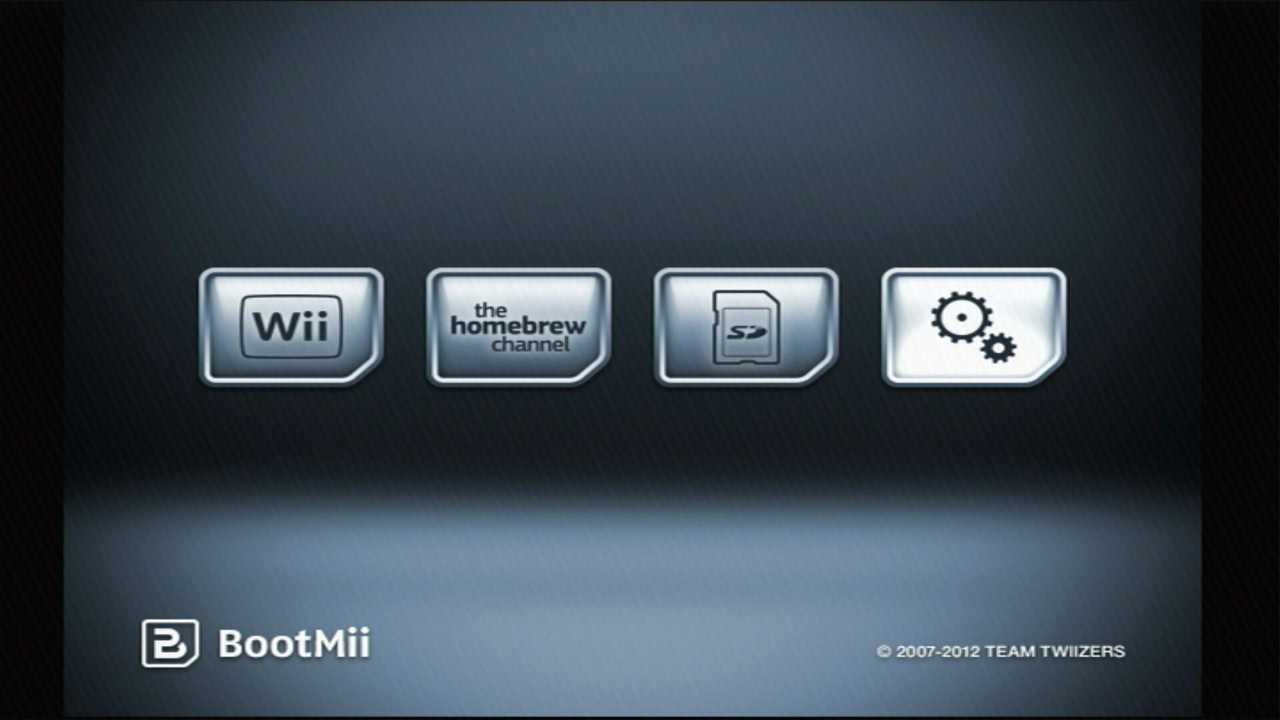
- click on the restoration button (sd card and red arrow).
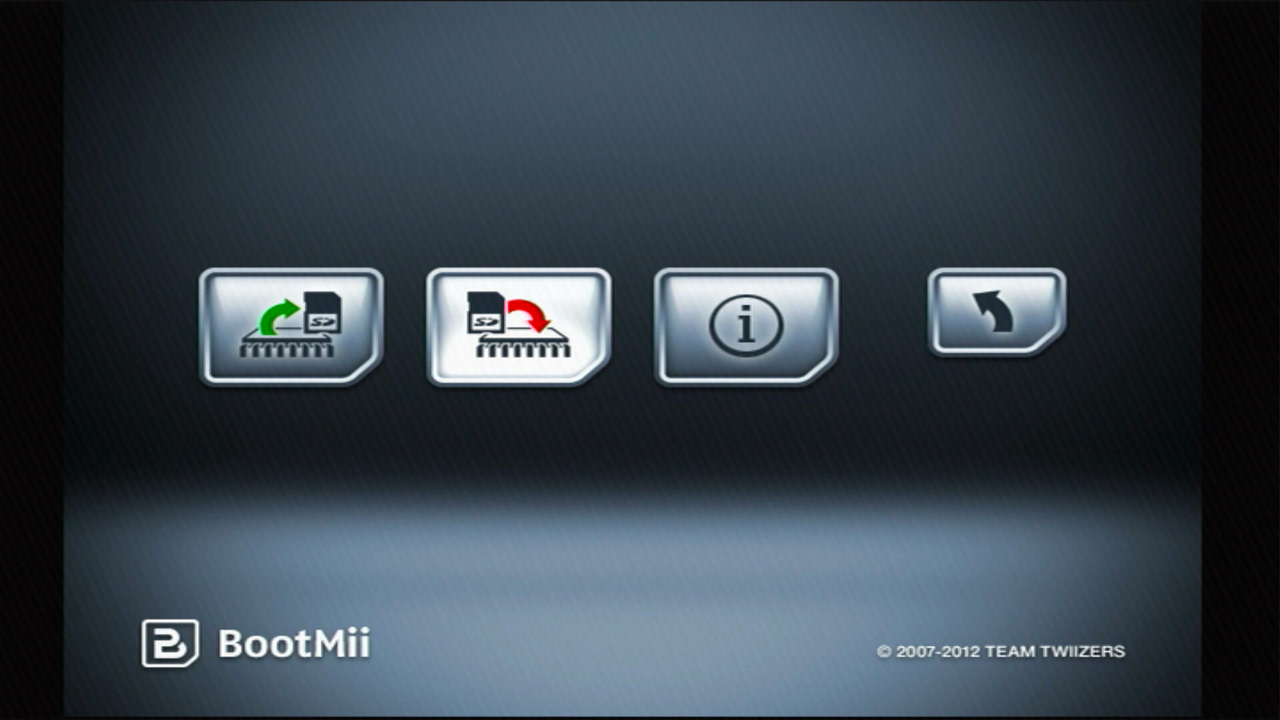
- bootmii will first run in
simulation modewhich basically means it's going to pretend to restore your nand and tell you what will be overwritten. press reset to keep going. - if you have bootmii as ios but not boot2, input the konami code on a gamecube controller (up, up, down, down, left, right, left right, b, a, start).
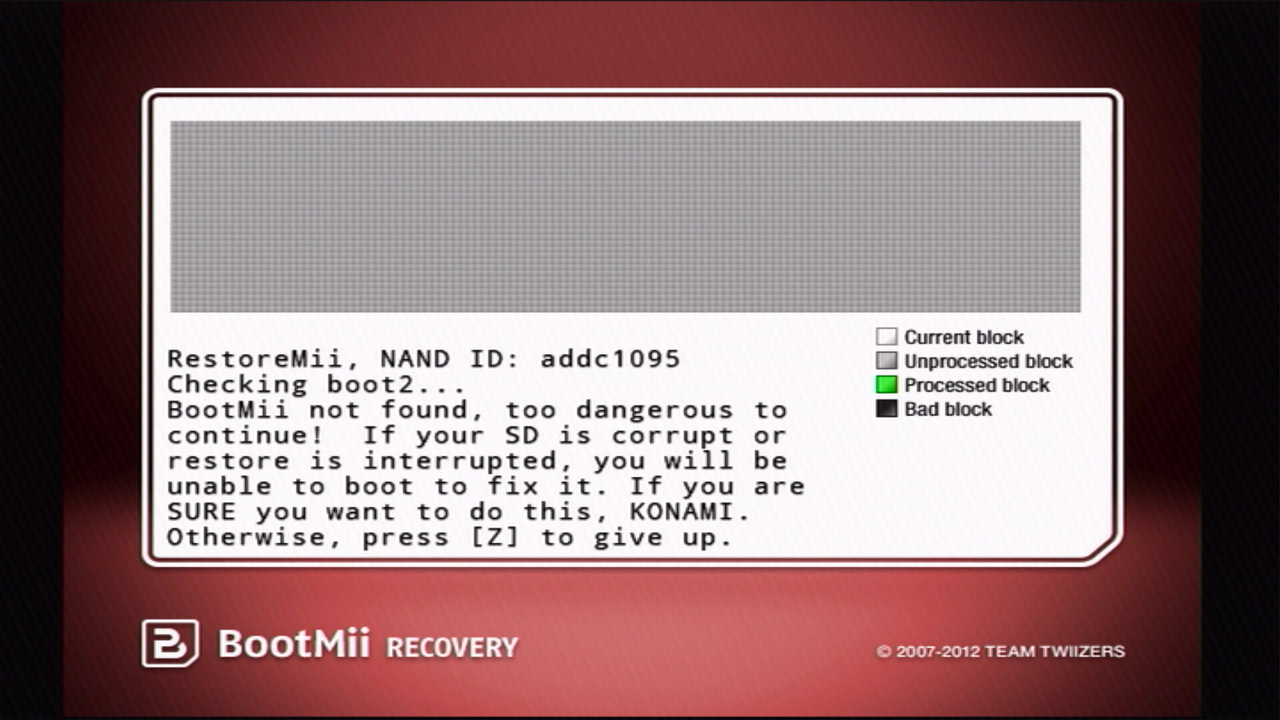
- once the nand restore simulation ends, it will ask you one last time if you're sure you want to do this. press eject/start to proceed.
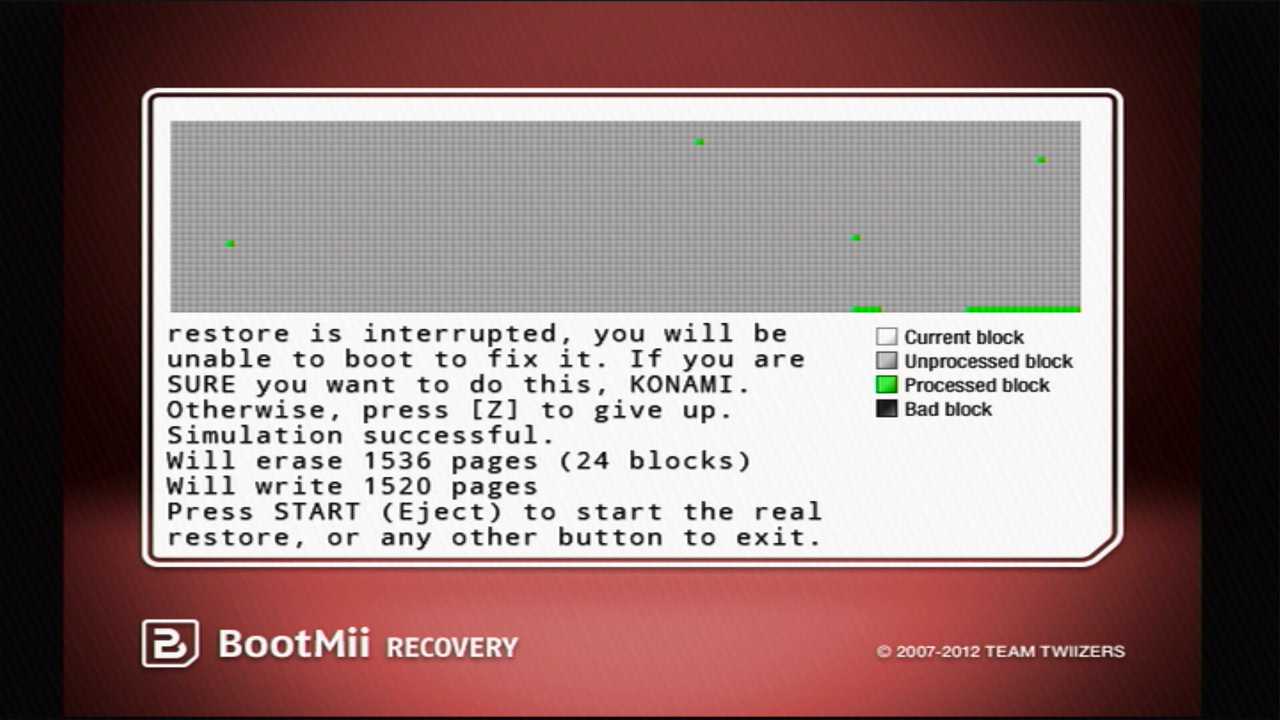
- after the real restoration is complete, bootmii will either return
i haz successori haz fail(very 2007 of you, fail0verflow). press any button to go back to the bootmii menu. - click the return button (black arrow), then click the wii menu or homebrew channel button.
maintenance mode
maintenance mode is a hidden menu, presumably made so developers could debug banner scripting during the wii's revolution days. however, the mode was left unpatched, and it can still be used to fix mail bricks and banner bricks nowadays.
- hold the + and - button on the health & safety warning screen for a few seconds.
- you should now see a dialogue like this.
